TP-Link Insight S285 VIGI 8MP Full-Color Dome Network Camera 2.8mm Lens

TP-Link Insight S285

All The Colours, All The Time

  • 4K (8MP) Ultra HD and 24h Full-Colour

  • People & Vehicle Analytics

  • Human & Vehicle Classification

  • Smart Detection

  • Smart Video Enhancement Technology

True WDR: By analysing and blending different exposures, True WDR ensures both bright and dark areas remain properly exposed, delivering a well-balanced and natural-looking image even in environments with high-contrast lighting.

Smart IR: Smart IR dynamically adjusts infrared lighting to prevent overexposure and glare, improve visibility at different distances, and ensure clearer footage.

3D DNR: 3D DNR is a noise reduction technology that analyses image data across frames to selectively reduce noise while preserving important details.

White Balance: White Balance ensures that white appears neutral in an image, regardless of the lighting conditions.

  • Active Defence and Two-Way Audio

  • IP67 Waterproof and IK10 Vandal-Proof

  • H.265+ Compression Technology

TP-Link VIGI Intelligent Solar Power Supply System 90w/31.2Ah

VIGI Intelligent Solar Power Supply System

VIGI By TP-Link’s SP9030 is a highly efficient solar power solution designed for off-grid surveillance and networking gear. Perfect for powering outdoor set-ups in remote locations.

High-Efficiency Solar Panel
Improves the conversion efficiency of light with a Grade-A monocrystalline silicon
solar panel, ensuring a long lifespan of at least 25 years.
High System Stability, All-Weather Operation
The horizontal mount is made of high-quality SGCC galvanized steel with increased
strength, anti-corrosion, and rust resistance. The solar panel is fringed with
high-quality aluminium, and 3.2mm tempered glass covers the surface to increase
impact resistance.
Smart Battery Delivers Optimal Performance
The built-in smart battery supports intelligent auxiliary heating technology, which
allows the battery to operate normally across a wide temperature range.


    • 90W Photovoltaic Panel and 30Ah/10.8V Lithium Battery
    • Modular Design
    • 5°/15°/25°/35°/45°/55° Adjustable Angles
    • Intelligent Auxiliary Heating Technology
    • Maximum Power Point Tracking (MPPT) Charging Controller
    • IP66 Weatherproof
    • Remote Management
    • Simple Installation

Discover the VIGI Video Surveillance Solution

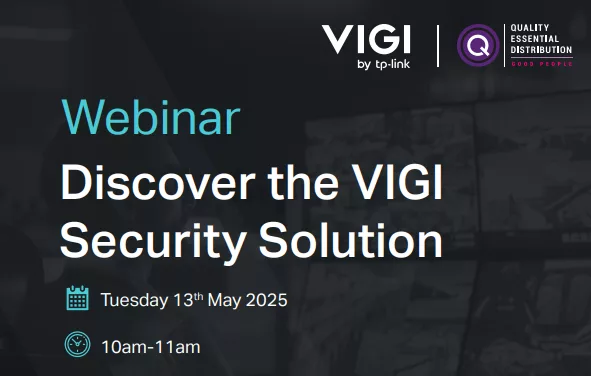
VIGI Insight Series Webinar – Smarter Surveillance for Your Business

Join us for an exclusive Quality Essential Distribution and VIGI by TP-Link webinar, on Tuesday 13th May, where experts will be showcasing the brand new VIGI Insight Series security camera range from TP-Link.

A leader in networking and surveillance solutions, VIGI by TP-Link products are designed to empower your business with simple installation, easy deployment, and a wide-ranging product line-up built to provide complete protection and peace of mind.

The VIGI Insight Series cameras offer premium security featuring 4K Ultra HD, advanced AI functionality and sharper image detection – delivering smarter, more reliable surveillance solutions for any and all businesses!

Steve K, Regional Sales Manager & Daryl B, Pre-Sales Engineer, both of TP-Link, will be demonstrating products to all of our webinar attendees.

Don’t miss out on this fantastic opportunity with the wonderful people at TP-Link, sign-up now!

Register Here! 👉 events.teams.microsoft.com/tplinkwebinar

Check Out VIGI By TP-Link Here! 👉qedgroup.vigibytplink

TP-Link Insight S655I VIGI 5MP IR Fisheye Network Camera

InSight S655I

360° Coverage with 4-in-1 Cameras, with Two Way Audio and Smart Detection

A single fisheye camera can play the role of many, providing a simpler and more competitive security solution. For example, in 4PTZ display mode, it functions as four cameras at once, delivering complete coverage and flexible perspectives.

VIGI 5MP IR Fisheye Network Camera

  • 5MP Super-High Definition and IR Night Vision
  • 360° Coverage without Blind Spots
  • Supports Multiple Display Modes and ePTZ
  • Supports Ceiling Mount / Wall Mount / Pendant Mount
  • Smart Detection
  • Smart Video Enhancement Technology
  • Built-In Microphone & Speaker
  • IP67 Waterproof and IK10 Vandal-Proof
  • H.265+ Compression Technology
  • Suitable for Small Indoor Areas like Retail Shops and Offices

VIGI – Mobile APP

Frequently Asked Questions

VIGI is dedicated to providing small and medium-sized enterprises with simple, intelligent, professional and reliable surveillance solutions, products, and services. Following the “4E” design principle (Easy Planning, Easy Installation, Easy Setup, Easy Maintenance), VIGI solutions can promote your business growth and security comprehensively. VIGI products, including cameras, NVRs, solar panels, VIGI VMS, etc., are tailored for various scenarios such as retail, hotels, schools, restaurants, offices, etc.

In addition, all VIGI devices can be integrated into VIGI VMS to achieve centralized management.

VIGI App provides a convenient access to VIGI devices and VIGI VMS. With VIGI App installed on your Android/iOS phone or pad, you can access and manage VIGI devices easily.

VIGI App supports both local management and cloud management. Even without logging into the App via the TP-Link ID, you can manage VIGI devices connected to the same network with your phone/pad; after binding a TP-Link ID, you can remotely access and manage VIGI devices through the cloud.

  1. Download and install the VIGI app from the Apple App Store or Google Play.
  1. Open the VIGI app and log in with your TP-Link ID. If you don’t have an account, sign up first.
  1. Tap the + button on the top right and scan the QR code on your camera. You can find the QR code printed on the product label of your camera.
  1. Follow the app instructions and set a device password to activate the device.
  1. Set the time zone, and give a name to your device.
  1. Tap Done to finish the setup, and now you can view and manage the camera.

After adding cameras to the VIGI app, on the Live View page, you can keep an eye on what’s important to you real time from anywhere with the VIGI app.

You can adjust the live view display on the Device Control page. You can tap More Settings on the My Devices page or tap the gear icon on the Live View page to enter the Device Settings page. On the Device Control page, you can change the camera settings of your camera to meet various needs.

Follow the app instructions to configure the settings. You can enable HLC, set LED status, change the video direction, configure WDR, disable the microphone or adjust the microphone volume (for certain cameras), adjust the speaker/alarm volume (for certain cameras), set the night vision and light brightness (for certain cameras).

Get instant notifications

On the VIGI app, enable motion detection, set custom activity areas, set boundaries, and more. Then, you can get instant notifications when the camera detects motion and receive alerts when someone crosses boundaries, enters an area, or blocks the camera. You can get instant alerts on your phone faster than email alerts.

Conclusion

The VIGI app is designed to be compatible with all VIGI devices. It lets you fully control your VIGI cameras and VIGI NVRs, all from one app. With simple device onboarding and cloud service, you can manage your security from the palm of your hand at any time, without relying on an additional monitor or computer. The TP-Link VIGI app provides real-time visibility into your business security from anywhere.

Open the VIGI app and enter your account information to log in.

1. Open the VIGI app and tap Sign Up.

2. Enter a valid email address and create your own password. Then a verification email will be sent to your inbox and you need to finish the verification within an hour.

3. Open your mailbox and find the verification email. Click the Click to Finish Registration button in the email to activate the TP-Link account.

4. Once the account is activated, open the VIGI app and enter the account information just registered to log in.

QED | Security Distribution | VIGI By TP-Link

Order before 4pm

for next day delivery

FREE expert advice

on the best solutions

Contact us

for product guidance

Order tracking

available for parcels

60 seconds

to create an account

Driven by Tech, Defined by Care.

IP Surveillance Solutions. Complete product line for SMBs - NDAA compliant.

Create an Account.

Set up your QED account in minutes to access a wide range of products, 4pm order cut-off time, and a team that's always got your back.