Order before 4pm
for next day delivery
FREE expert advice
on the best solutions
Contact us
for product guidance
Order tracking
available for parcels
60 seconds
to create an account

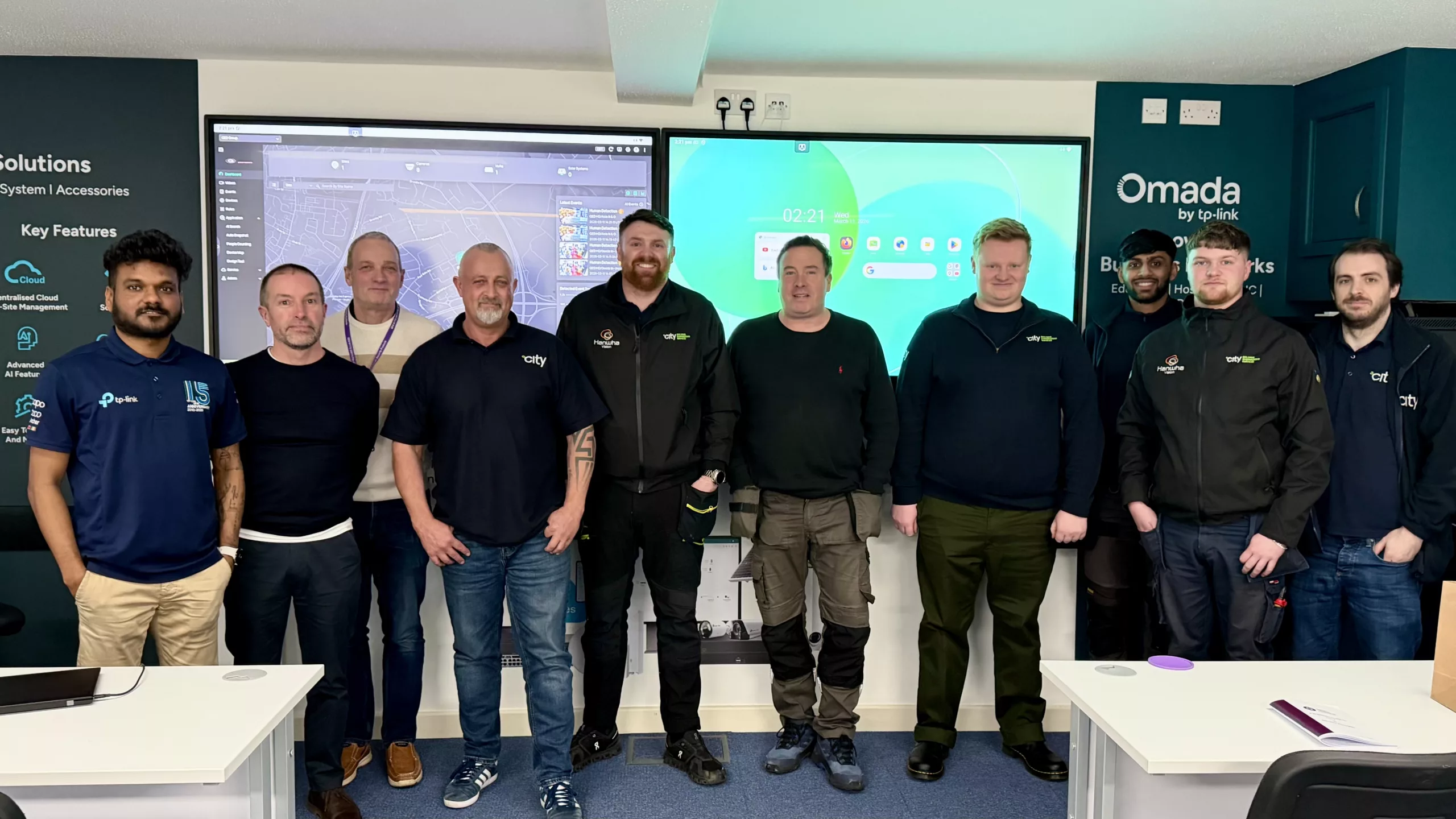
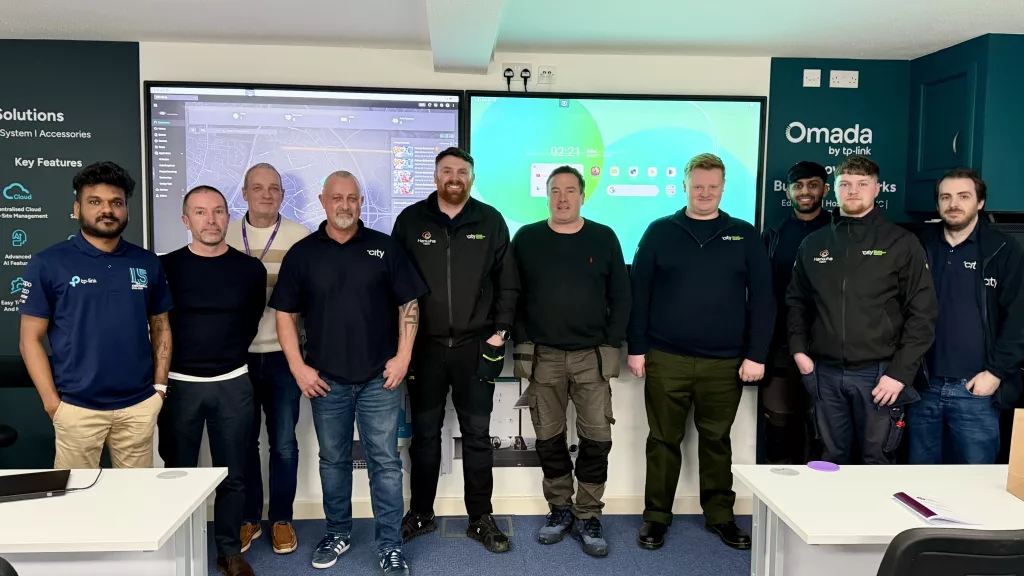
The session also marked an exciting milestone as it was the first official training event hosted in our newly completed training room, which was created specifically to support technical learning, product demonstrations, and industry collaboration.
The training focused on CCTV deployment and networking infrastructure, allowing attendees to work directly with the technology and explore practical installation scenarios.
The course was delivered by our very own technical manager John, alongside Clive from TP-Link, bringing together distributor insight and manufacturer expertise. Between them, they guided the group through key areas, including system configuration, network setup, and best practices for achieving reliable performance in real environments.
By working with the equipment, attendees were able to ask questions, troubleshoot challenges, and gain a deeper understanding of how modern CCTV and networking solutions fit together.
As security and networking technologies continue to advance, practical training remains an important part of helping engineers and installers stay up to date.
Creating opportunities for professionals and apprentices to learn directly from manufacturers and industry specialists ensures that knowledge is shared in a way that’s practical, relevant, and immediately useful on site.
In this session, QED supported a number of CBES Fire & Security’s apprentices in these learning experiences, which will help them build strong foundational skills early in their careers and support the development of a confident, competent future workforce.
The new training space has been built with exactly this in mind, providing a dedicated environment where manufacturers, installers, and industry professionals can come together, learn and collaborate.
It was brilliant to see the space being used so quickly after completion, and the session proved to be a great start for what we will be a growing programme of CCTV, networking and security technology training sessions in the months ahead.
A big thank you to CBES, Clive from TP-Link, and everyone who attended and helped make the first training session in the new room such a success.

It was a great occasion. A good crowd, plenty of noise, and a strong matchday feel throughout. From arrival to full-time, everything ran smoothly, and it was good to spend time back in a football environment.
The game itself was competitive and well-contested. Both sides approached it in the right way, and it made for an engaging watch for supporters, partners, and guests.
What stood out most for us was the people. From club staff and hospitality teams to supporters and sponsors, it reinforced something we already believe strongly. Football works best when it is built around good people. That sits right at the heart of our ethos. Relationships matter. Trust matters. And showing up properly matters.
Experiences like this remind us why we choose to support live sport and local clubs. You learn a lot by being present, listening, and seeing how organisations operate on the ground. It is something we take back into our own business every time.
We genuinely enjoyed being involved in this fixture and are grateful to everyone at Crewe Alexandra for the welcome and hospitality, as well as to Barrow AFC for playing their part in a strong matchday.
We look forward to our next visit.
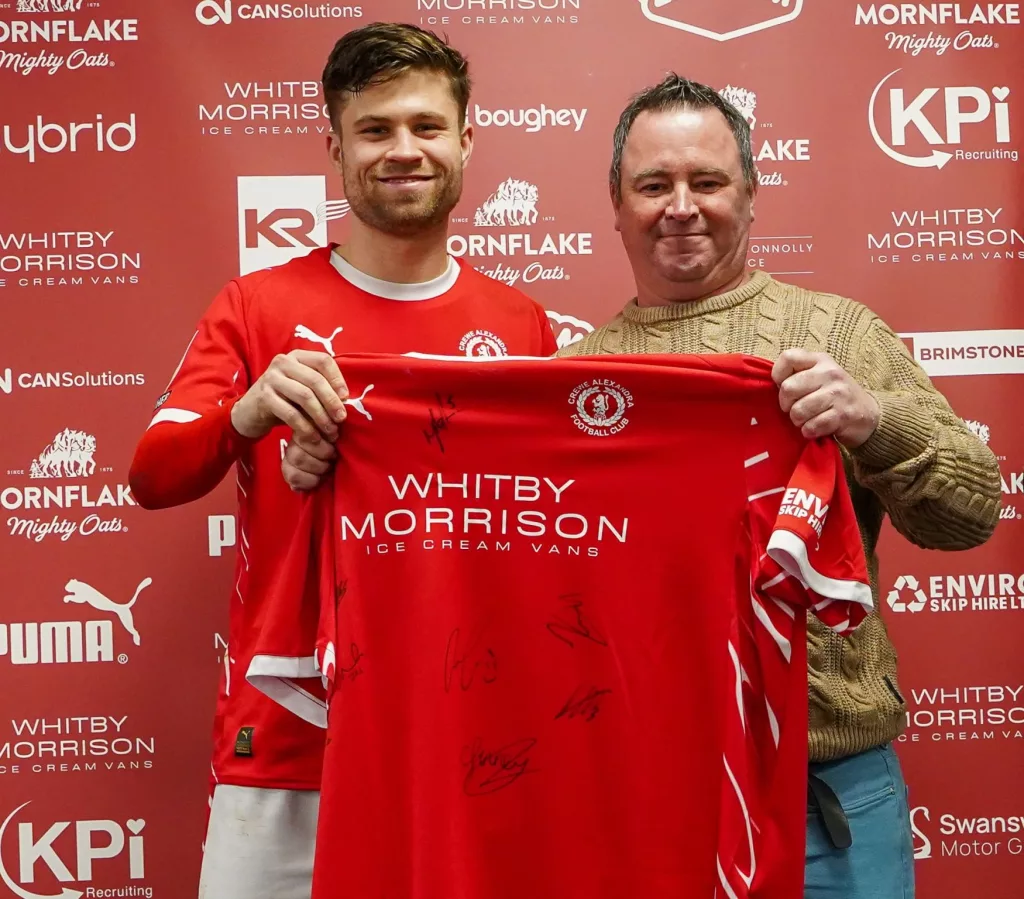
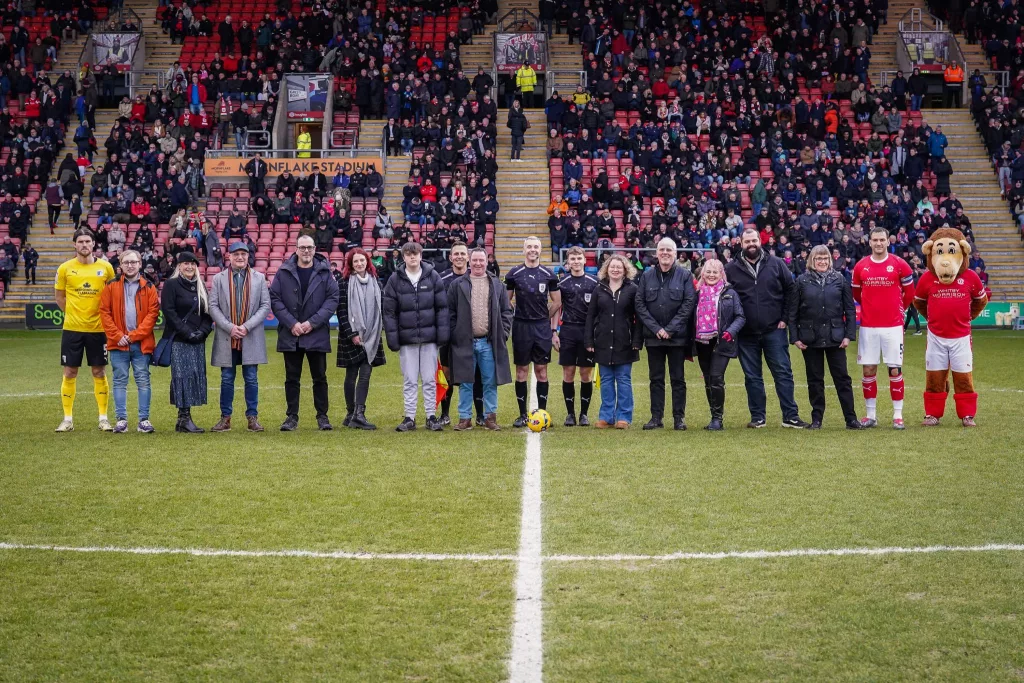
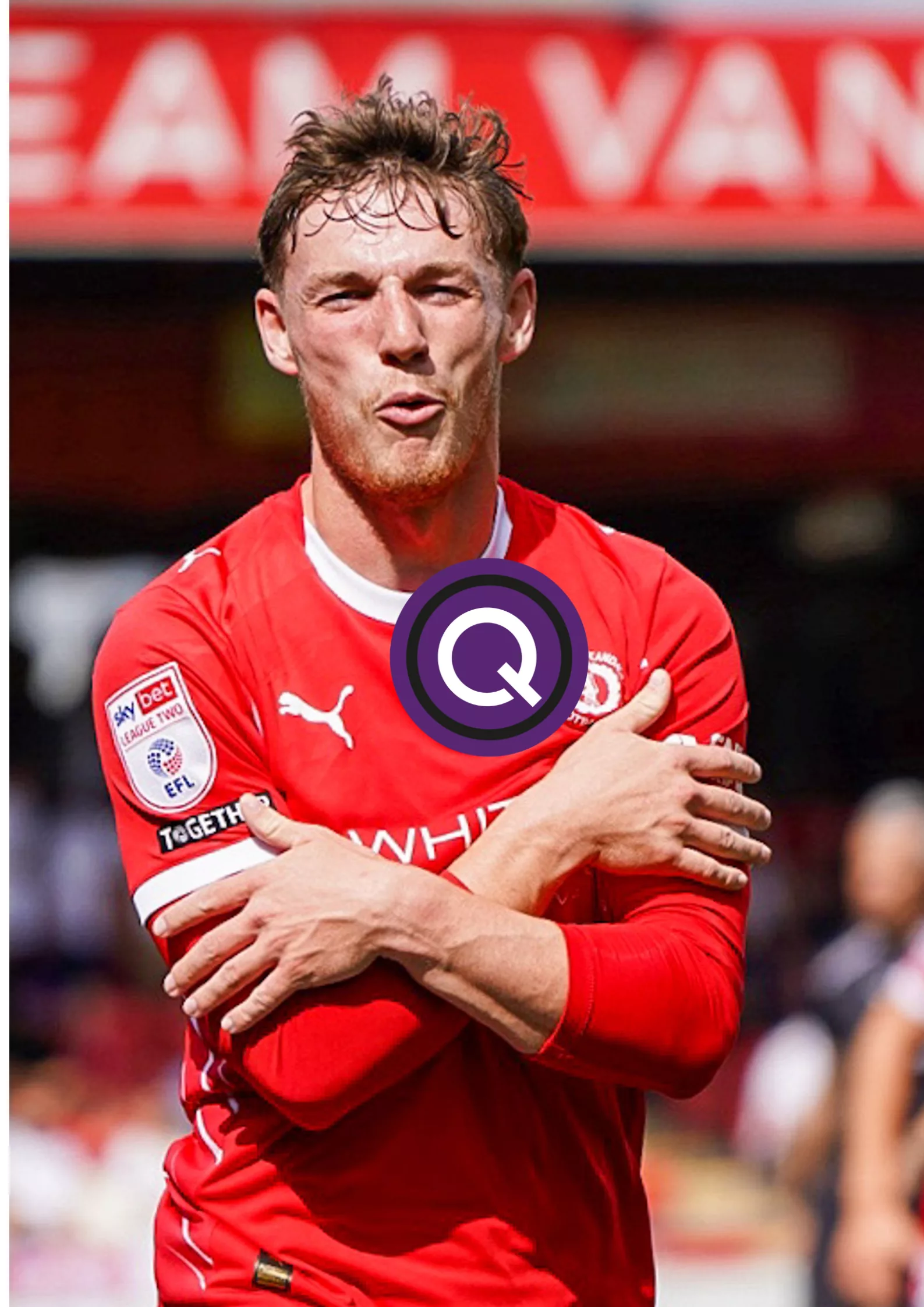
Tomorrow is a proud and exciting moment for everyone at Quality Essential Distribution as we sponsor the League Two fixture between Crewe Alexandra and Barrow AFC at the Mornflake Stadium.
Crewe Alexandra are a club with deep roots and a strong connection to their community, and the Mornflake Stadium is a place where people come together and where support feels genuine.
This sponsorship reflects who we are as a business. At Quality Essential Distribution, our ethos is simple: good people working together and doing things the right way.
We believe that success comes from trust, respect and long-term relationships, and that is why supporting football clubs that sit at the heart of their communities means so much to us.
Football brings people together just like business does when it is built on the right values. Being part of a matchday like this allows us to celebrate those shared values while supporting the game we all care so deeply about.
We are looking forward to a great atmosphere, a competitive contest and another brilliant showcase of EFL League Two football.
We wish both teams the best of luck as we look to enjoy a memorable day at the Mornflake Stadium.
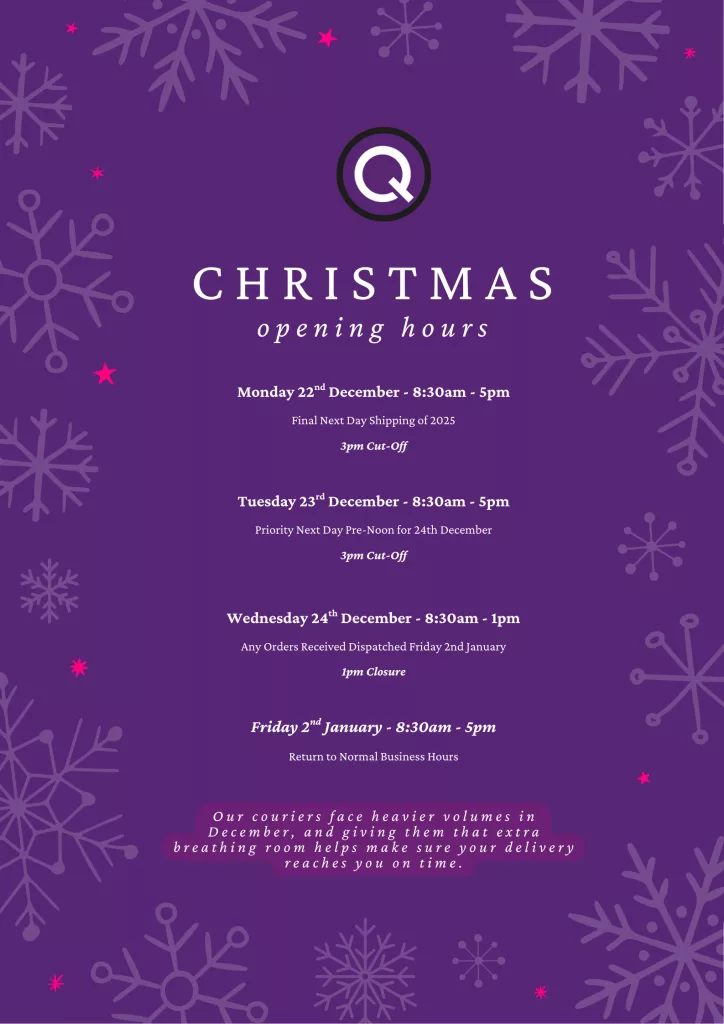
We’re keeping things running as smoothly as possible through December, though courier capacity can affect next-day services. If timing is important, ordering a little earlier than usual will help us get everything to you on schedule.
Thank you for your support this year. We appreciate every order and every conversation, and we’re looking forward to working with you in the new year.
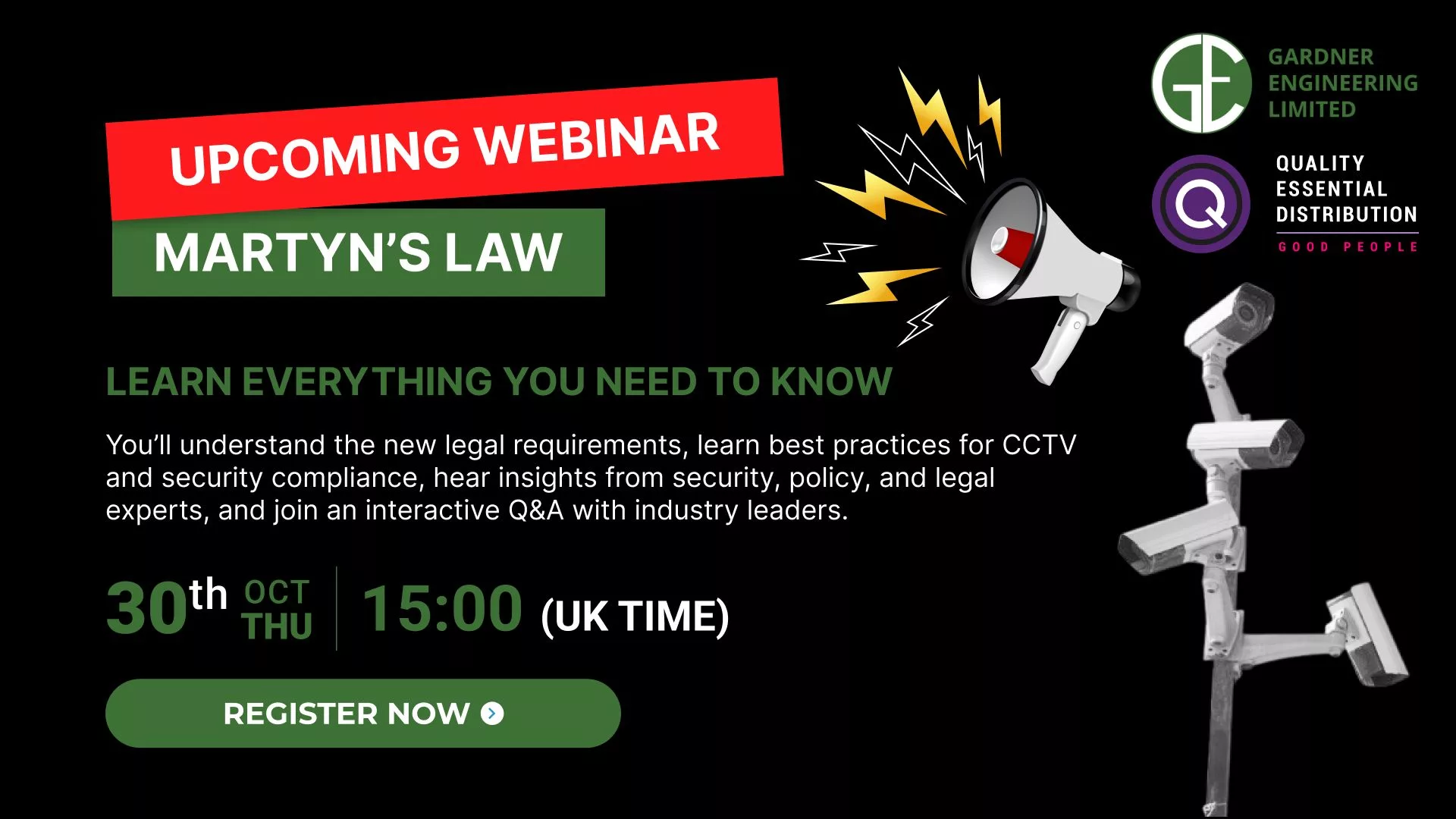
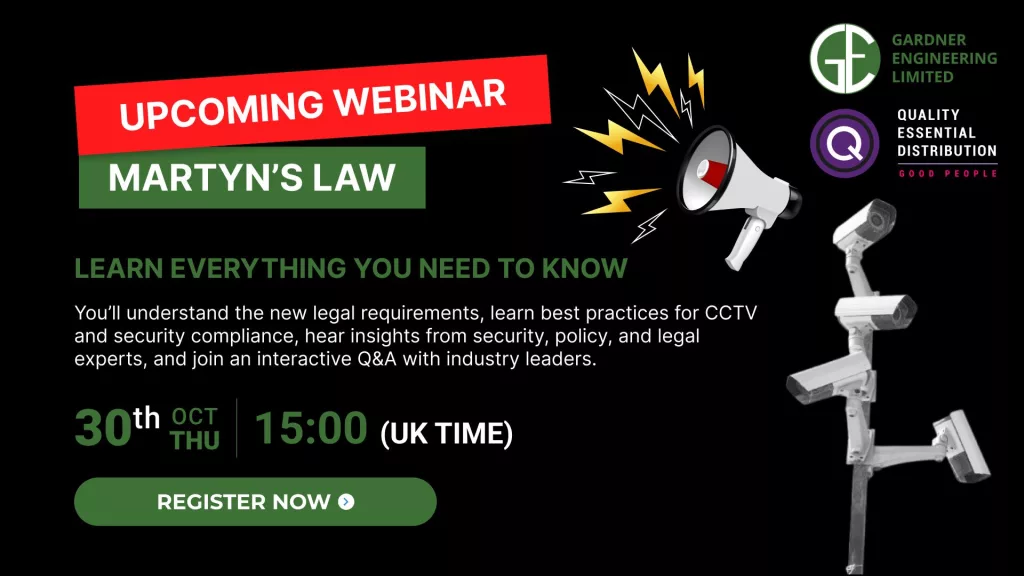
If you’re responsible for managing a public-facing site or event, you’ve likely heard about Martyn’s Law, and you might be wondering how it affects you.
We know the introduction of Martyn’s Law has prompted a lot of important conversations. Across venues, campuses, retail estates, and public spaces, teams are asking the same three questions:
To bring clarity and confidence to those questions, QED has partnered with Gardner Engineering for a practical, no-jargon online session that focuses on real-world actions you can take immediately.
This focused session will guide you through how to interpret and implement Martyn’s Law requirements effectively. Every attendee will receive:
👉A one-page duty map outlining responsibilities for standard vs. enhanced settings
👉An editable risk assessment checklist to share and adapt for your team
👉A “quick wins” list showing how to strengthen security using what you already have — from existing procedures and drills to camera coverage
👉A tailored Q&A segment designed for venues, retail estates, campuses, hospitals, and local authorities
Date: 30th October, 3:00 PM (UK Time)
Where: Live online (recording and templates sent to all registrants)
Save your seat now: Click here to register!
No problem. Register anyway, and you’ll receive the full session recording and all downloadable templates directly to your inbox.
Quality Essential Distribution and TP-Link are keeping the wheel spinning. The promo we ran last month is back and running all through September.
Place an order of £250 or more on TP-Link products with QED, and you’ll get a shot at the QED x TP-Link Spin the Wheel. It’s our way of giving a little back to the installers, resellers and tech pros who keep choosing us.
The prizes are worth having: Tapo Smart Cameras, Smart Plugs, TP-Link T-Shirts, Polo Shirts, Notepads and Pens. Useful kit, not the usual junk you forget about five minutes later.
It’s a straight deal. Two companies that know the industry, teaming up to reward the people who keep it moving.
Spend £250, spin the wheel, take home something extra. All September long.
Make sure you sign up for our QED Fantasy Football 2025/26 for your chance to bag even more prizes. Join the League!
The Essential League (QED) Returns: FPL Mini-League Open to Employees, Customers, and Suppliers
The new Fantasy Premier League season is underway, and with it comes the return of The Essential League (QED).
This is a mini-league open to all employees, customers, and suppliers who think they’ve got what it takes to compete.
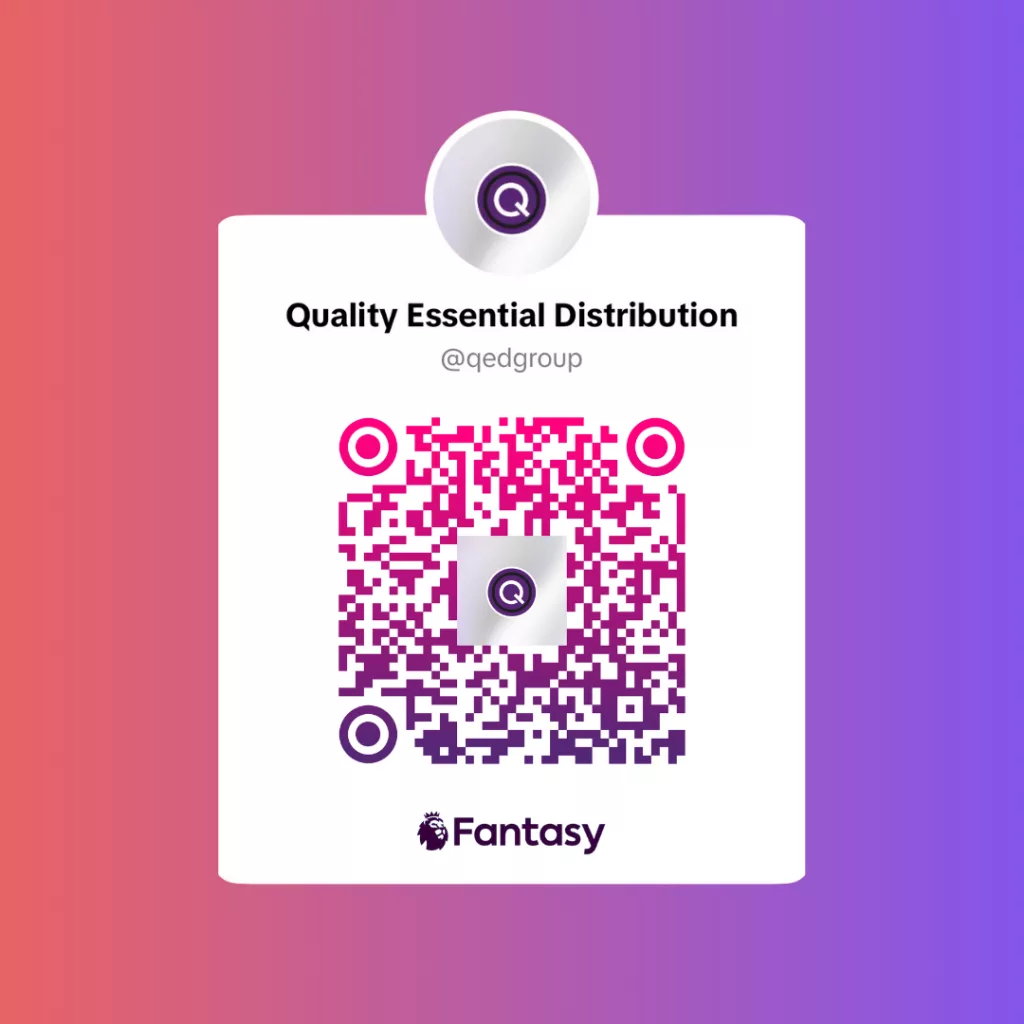
Entry is free, and joining takes less than a minute. Just register your team on the FPL site and use the league code: xvpua7 or follow this link to jump straight in.
Prizes are up for grabs for 1st, 2nd, 3rd and yes, even last place. Whether you’re a tactical genius or the kind of manager who forgets to set their lineup, there’s something in it for you. So bring your A-game, or don’t. You might still win something.
Please share this with anyone relevant.
The more, the messier.
Let the mind games begin.
Let’s be real. You do not expect to get anything decent for six pence. Maybe a few sweets or a dodgy pen if you are lucky. But we are doing something a bit mad and pricing actual products from just six pence.
This is not some clearance bin full of useless junk. It is proper stock we are moving fast and pricing low because we can. Whether you are running a business or just topping up on essentials, this is the kind of deal you do not scroll past.
There is no catch and no conditions. Just solid offers at prices that make other suppliers look greedy. Stuff is already flying out so if you want in, do not wait around.
Have a scroll through the offers here: qedgroup.co.uk/product-category/offers/

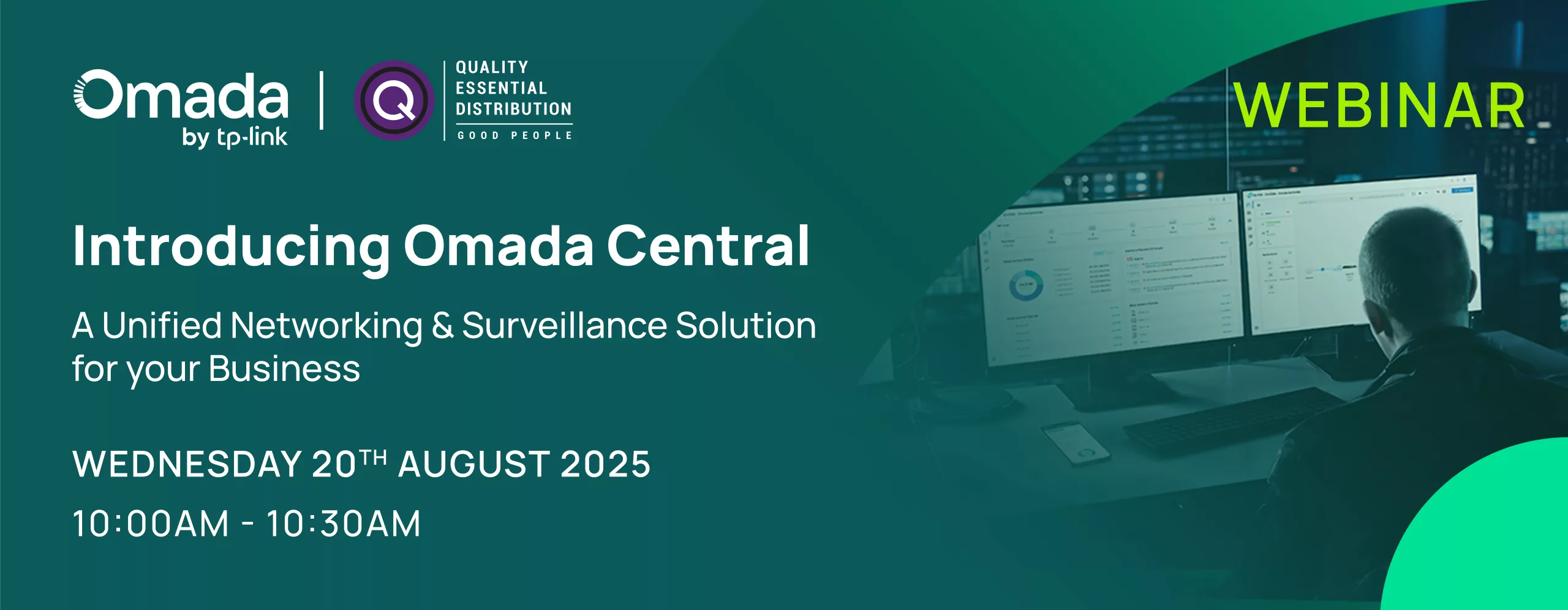
Tired of juggling multiple systems to keep your network and security in check? Omada Central is here to cut through the noise.
Join the webinar and see how one platform can give you full control over your networking and surveillance setup across all your sites.
No more clunky software or patchy visibility. Just one clean, powerful interface built for real business use.
📅 Wednesday 20 August 2025
🕙 10:00AM
See how it works before everyone else.

Frequently Asked Questions
VIGI App Notification Issues
If push notifications from your VIGI camera on your phone don’t work correctly, please refer to the following steps for inspection:
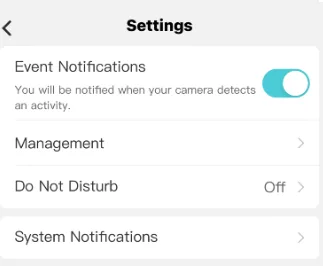
Step 1 Check your camera / NVR whether the Notifications is on your VIGI app.
On the VIGI App go to Me > Settings > Message Notification Settings and check if you have turned on the notifications.
| Click on Management to verify which devices are allowed to send notifications and select as necessary. |
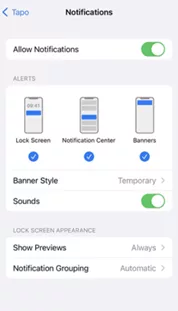
Step 2 Check and confirm Notifications setting on your phone is enabled.
For iOS: Launch Settings > Notifications, ensure Show Previews is on Always, and the Allow Notifications for the VIGI App is on.
| For Android: Launch Settings -> Notifications & Status bar > App notifications, locate the VIGI App and ensure the Show notifications option is on.VIGI Should always be toggled on |
Step 3: Turn off Do Not Disturb
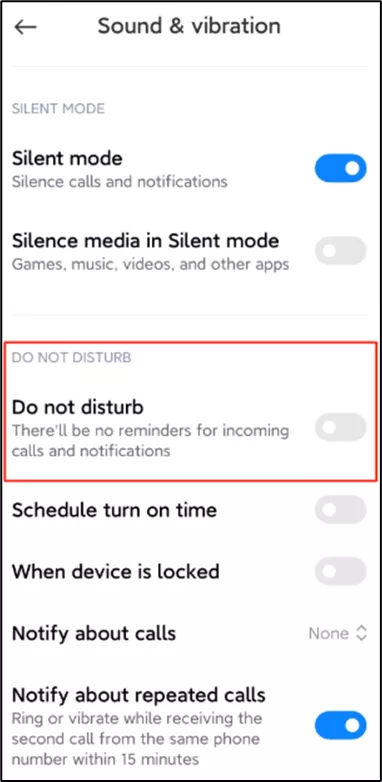
If Do Not Disturb has been enabled on the phone make sure this is turned off.
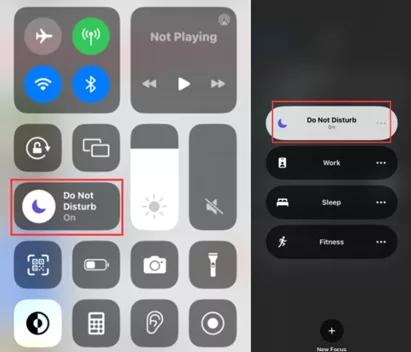
For iOS 14 or earlier: Go to Settings and tap Do Not Disturb, then tap on the toggle next to Do Not Disturb to turn it off.
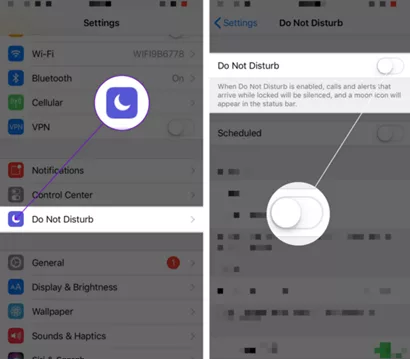
For iOS 15 or later: Open Control Centre, tap Focus, then tap the Focus that is on to turn it off.
Step 4: Notifications on the Lock Screen
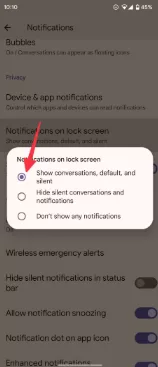
Android phones can receive notifications on the lock screen. This way, you know what each one is for without unlocking the device. If you’re privacy-conscious, set them to display the full notification or only the app icons. If you don’t receive alerts or visual banners on the lock screen, you may have turned off the feature. Here’s how to turn it on:
Step 5: Check and ensure the Wi-Fi and cellular connection on the phone is working properly.
Poor or inconsistent internet connections can also prevent push notifications from being sent or being delivered. When a user’s device has limited network access or limited device resources such as a low battery, the device might restrict or delay the notification.
Frequently Asked Questions
Resetting a Forgotten VIGI NVR Password
If you forget the password of the VIGI NVR, you can reset the password via VIGI NVR.
For Method 1 & 2 you need to know the reset password email. Reset Password Email is the one you entered in Quick Setup for the password reset. It is only used to receive the verification code when you need to reset the password.
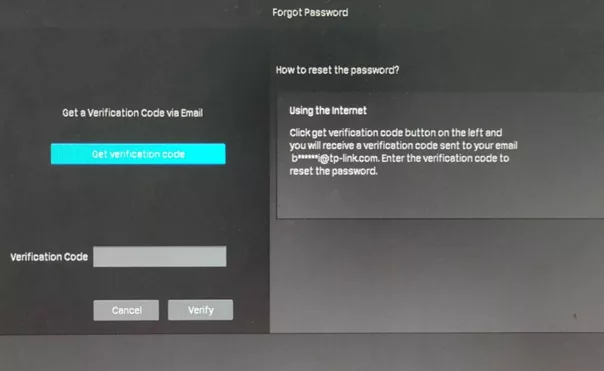
Method 1: If your NVR is connected to the internet.
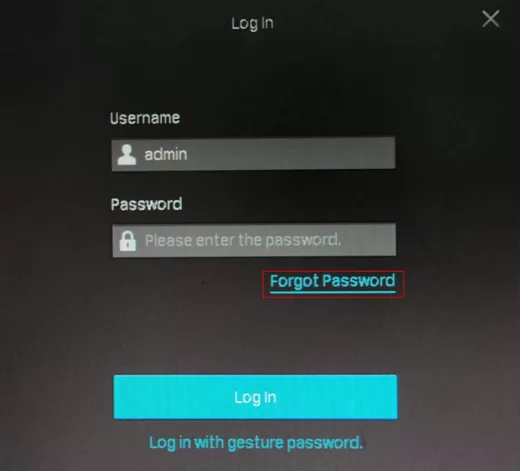
Step 1. On the login page click the Forgot Password option as shown below.
step 2. Send the Verification Code to your Reset Password Email.
Method 2: If the NVR is not connected to the internet
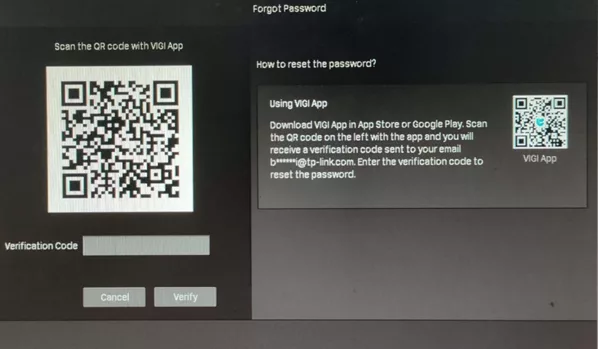
Download the VIGI app from the Apple App Store or Google Play or scan the QR code to download the VIGI app.
Note:
What should I do if I don’t receive the verification code?
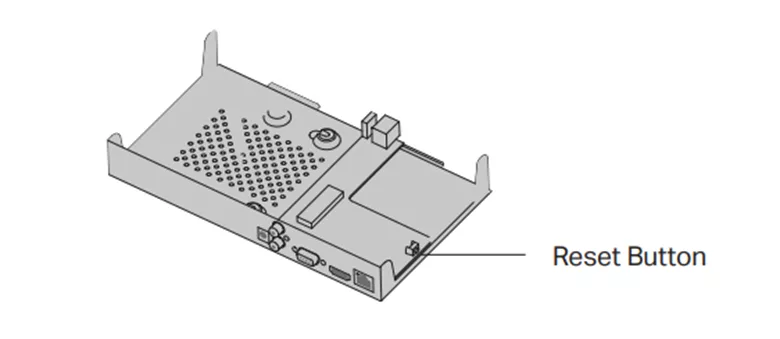
Method 3: Hard reset/ By pressing the RESET button
Remove the cover of the NVR, then press and hold the Reset button inside the NVR for over 3 seconds. The NVR will restore to the factory settings.
Note: Please wait without any operations until the NVR is reset successfully. It may take a few minutes.

Set up your QED account in minutes to access a wide range of products, 4pm order cut-off time, and a team that's always got your back.