The evenings are drawing in, the lights are going on a little earlier, and cameras are spending more of their time working in the dark. It is a good opportunity to ask your customers a simple question. How well does their CCTV perform once everyone has gone home?
A camera can give you a great picture during the day, but it is worth taking a look at what happens when the daylight fades. Whether you are monitoring a car park, a business entrance or a yard, you want footage that helps you understand what has happened.
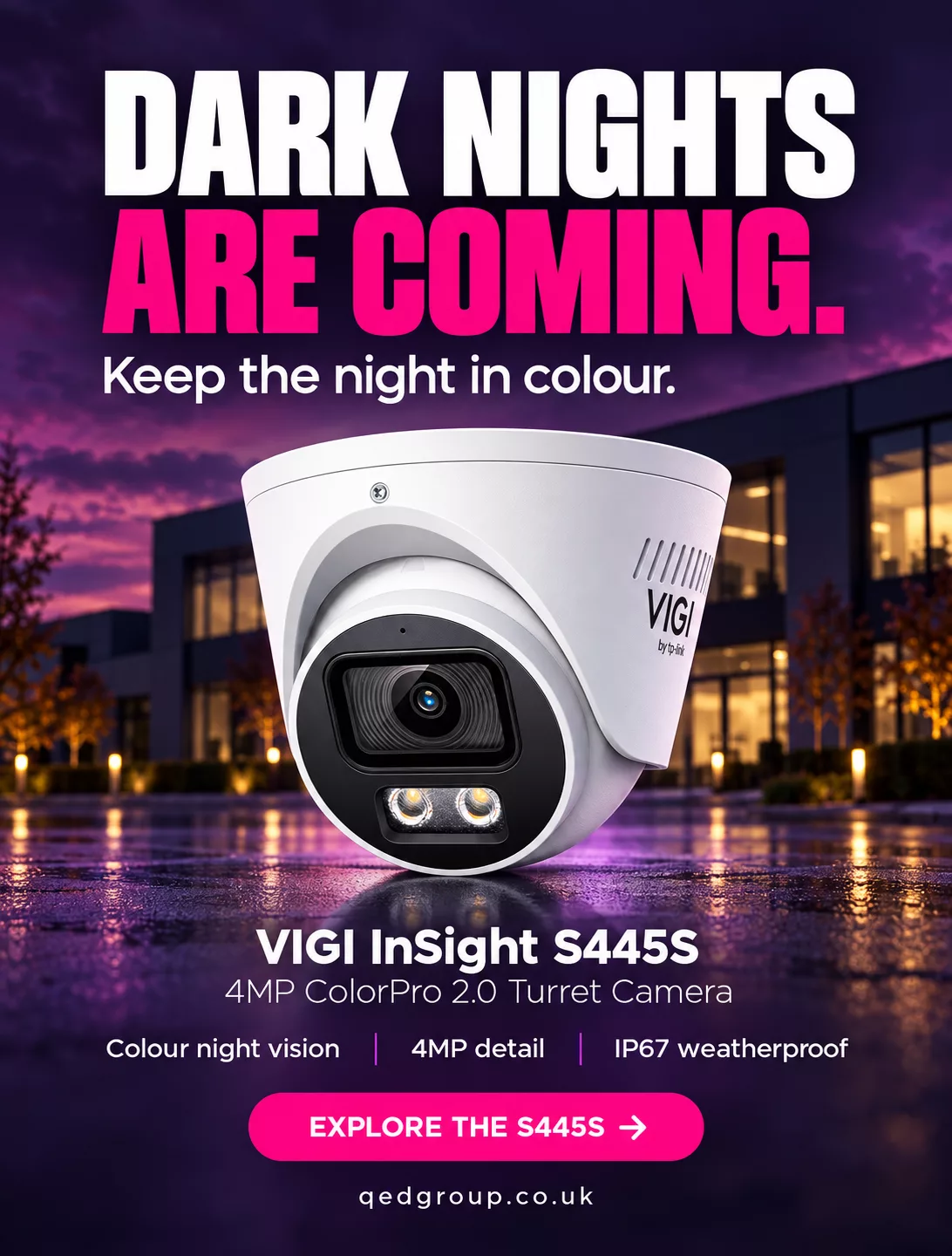
That is where the VIGI InSight S445S from our friends at VIGI is worth a closer look.
The S445S combines 4MP resolution with ColorPro 2.0 technology, helping capture colour and detail in very low light.
Think about the details you might need when reviewing footage. The colour of a jacket. A vehicle entering the site. Someone approaching a doorway. Having that extra colour information can make it easier to tell things apart and follow what happened.
In complete darkness, the camera’s intelligent lighting can activate white illumination when a person or vehicle is detected, allowing it to capture colour footage.
For installers working with customers whose outdoor lighting is limited, this gives you another option to explore when planning their system.
Alongside its night vision capabilities, the S445S includes human and vehicle classification, helping distinguish people and vehicles from other objects in the scene.
There is also two-way audio, allowing operators to speak to someone near the camera, and IP67 weatherproof protection for outdoor installations.
Of course, every site is different. Where the camera is fitted, the area it needs to cover and the lighting available will all play a part in choosing the right solution. If you are working through those details, our team is here to help.
The darker months are a good reason to check in with customers and see how their existing cameras are performing. A look at their evening footage could help you identify where an upgrade would be useful.
Whether you have a project coming up, a customer asking about colour night vision, or simply want to know more about the VIGI range, give us a shout.
We are always happy to talk through the options and help you find the right fit.
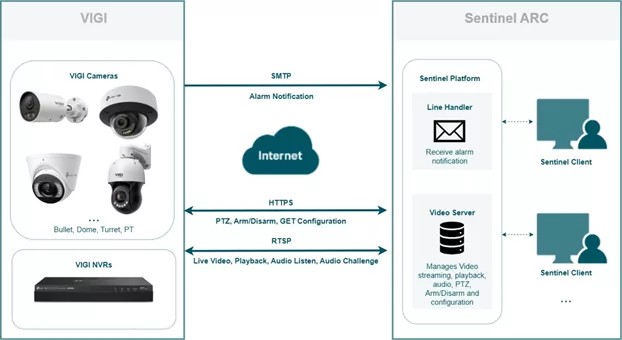
An Alarm Receiving Centre (ARC) is a centralized facility where operators receive, verify, and respond to security alarms. Sentinel is a comprehensive and highly configurable alarm monitoring platform designed for centralized alarm and video monitoring across remote sites. Through the integration of supported VIGI cameras and NVRs with Sentinel, alarm notifications and event snapshots can be sent to Sentinel for centralized monitoring and handling.
This article explains the integration topology, network requirements, and VIGI device settings for connecting supported VIGI cameras and NVRs to Sentinel ARC.
Ensure that Sentinel ARC and the VIGI device can communicate through the required services.
The Sentinel Video Server must be able to reach the VIGI device through the configured HTTPS/OpenAPI and RTSP ports.
The VIGI device must also be able to reach the SMTP server used by the Sentinel Line Handler.
Before configuring Sentinel ARC, confirm the service ports used by the VIGI Cameras and NVRs:
OpenAPI: TCP 20443 by default
RTSP: TCP 554 by default
Use a VPN, public IP address, or domain name to make the VIGI cameras and NVRs reachable from the Sentinel Video Server.
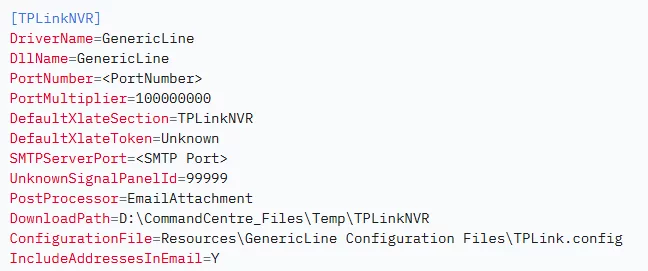
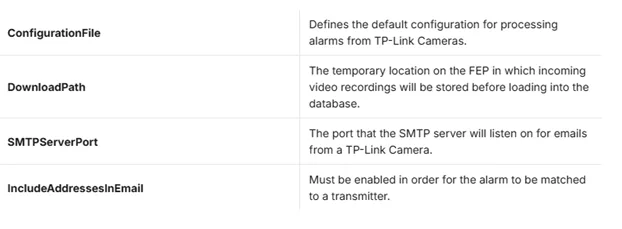
If the VIGI cameras or NVRs are behind a NAT router and no VPN is used, configure port forwarding for the required HTTPS/OpenAPI and RTSP services. In Sentinel, enter the external ports configured on the router for the corresponding HTTPS Port and RTSP Port. The SMTP server address and port are provided by the ARC and may vary between Sentinel deployments.
This section outlines the main Sentinel ARC configuration items used for the integration.
Step 1. Open Sentinel Operations Centre and create a site record for the VIGI integration. Select TP-Link Camera or TP-Link NVR as the transmitter type, assign an available Signalling ID, and commission the site. Note: For more information about Sentinel, refer to the Monitor Computer Systems Sentinel product page.
Step 2. For each VIGI camera or NVR, configure a Transmitter with the device login credentials, reachable IP address or domain name, and the corresponding HTTPS/OpenAPI and RTSP ports. Use Get Configuration to retrieve the available camera channels and media resources.
Step 3. Record the numeric Panel ID assigned to each transmitter. This ID is required when configuring the Sender Email on the corresponding VIGI camera or NVR.
Step 4. Add additional transmitters as needed when multiple VIGI devices are monitored under the same site.
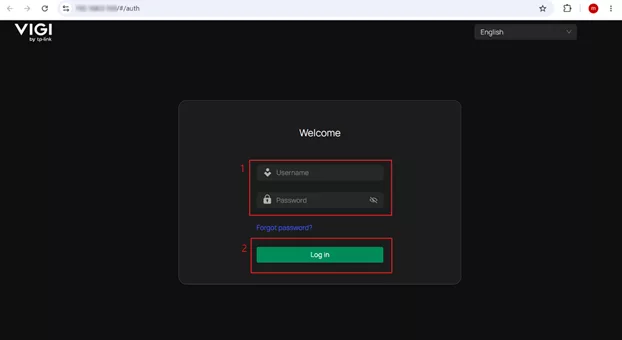
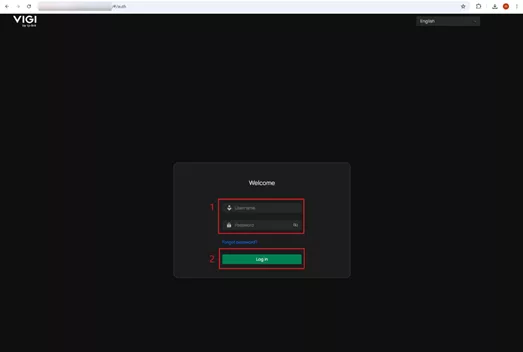
Step 1. Log in to the web management page of the VIGI camera.
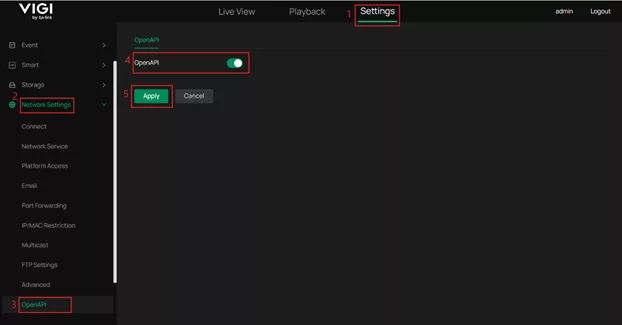
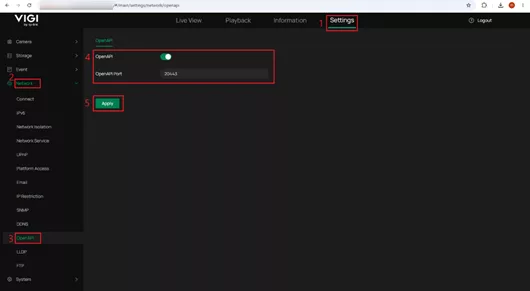
Step 2. Go to Settings > Network Settings > OpenAPI, enable OpenAPI, and click Apply.
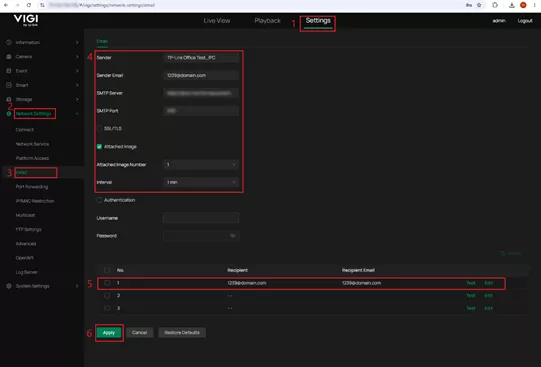
Step 3. Go to Settings > Network Settings > Email > Email, configure the email settings as follows, and click Apply.
Sender: Enter any descriptive name.
Sender Email: Enter an email address whose username matches the numeric Panel ID of the corresponding Sentinel transmitter. For example, if the Panel ID is 1239, use 1239@domain.com.
SMTP Server: Enter the address of the Sentinel Line Handler provided by the ARC.
SMTP Port: Enter the SMTP port provided by the ARC.
Attached Image: Enable this option if event snapshots should be included in the alarm notification, and set the required image number.
Recipient / Recipient Email: Enter valid values. These fields do not affect how Sentinel identifies the transmitter.
After saving the settings, click Test for the configured recipient to verify that the camera can reach the Sentinel SMTP server.
Note: Leave the other settings at their default values unless otherwise specified by the ARC.
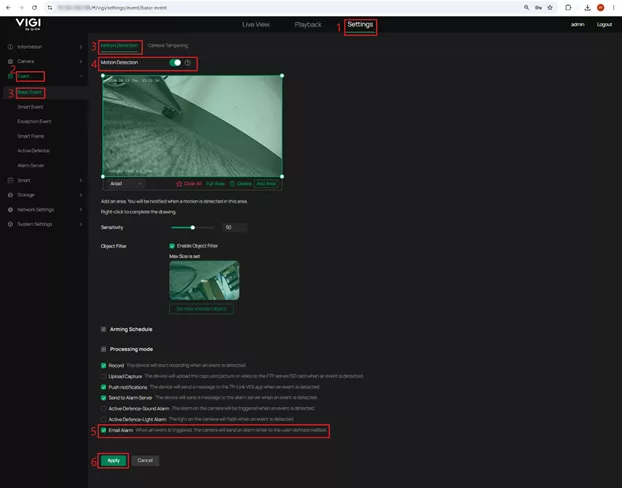
Step 4. Configure the event to be reported to Sentinel.
The following uses Motion Detection as an example. Go to Settings > Event > Basic Event > Motion Detection, enable Motion Detection, configure the detection area and related settings as needed, enable Email Alarm under Processing mode, and click Apply.
Configure the VIGI NVR
Step 1. Log in to the web management page of the VIGI NVR.
Step 2. Go to Settings > Network > OpenAPI, enable OpenAPI, confirm or configure the OpenAPI Port, and click Apply.
Note: The default OpenAPI port is 20443. The OpenAPI port on a VIGI NVR can be changed.
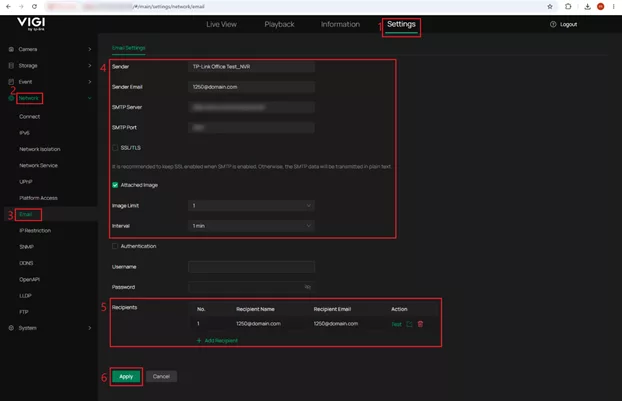
Step 3. Go to Settings > Network > Email > Email Settings, configure the email settings provided by the ARC, and click Apply.
Configure the following fields:
Sender: Enter any descriptive name.
Sender Email: Enter an email address whose username matches the numeric Panel ID of the corresponding Sentinel transmitter. For example, if the Panel ID is 1250, use 1250@domain.com.
SMTP Server: Enter the address of the Sentinel Line Handler provided by the ARC.
SMTP Port: Enter the SMTP port provided by the ARC.
Attached Image: Enable this option if event snapshots should be included in the alarm notification, and set the required image number.
Recipient Name / Recipient Email: Enter valid values. These fields do not affect how Sentinel identifies the transmitter.
After saving the settings, click Test for the configured recipient to verify that the NVR can reach the Sentinel SMTP server. Note: Leave the other settings at their default values unless otherwise specified by the ARC.
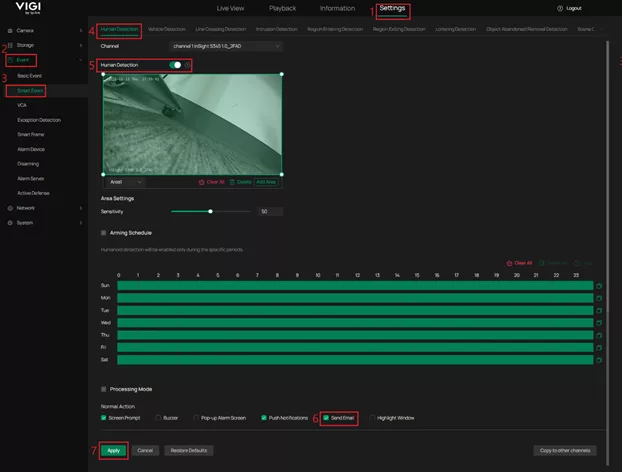
Step 4. Configure the event for each NVR channel that should report alarms to Sentinel. The following uses Human Detection as an example. Go to Settings > Event > Smart Event > Human Detection, select the required channel, configure the detection settings as needed, enable Send Email under Processing Mode, and click Apply.
Note: Repeat this configuration for each channel and event type that should report alarms to Sentinel.
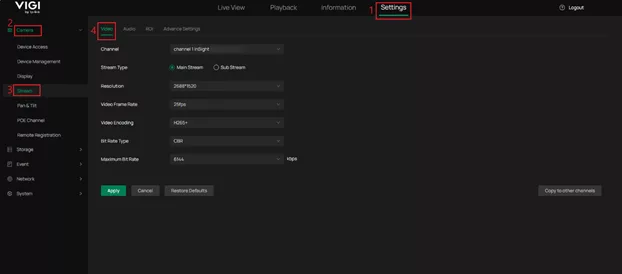
Step 5. Configure the video streams used for live view and playback.
Go to Settings > Camera > Stream. Configure the Main Stream with higher quality than the Sub Stream.
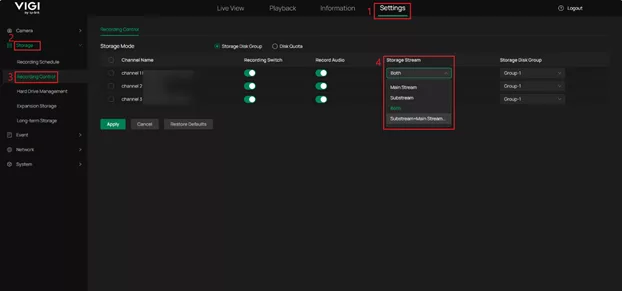
For playback through Sentinel, go to Settings > Storage > Recording Control and ensure that the required cameras are configured to record the Main Stream or Both, as Sentinel uses the Main Stream for archive playback by default.
Note: By default, Sentinel uses the Main Stream for high-quality live view and the Sub Stream for medium- or low-quality live view. For archive playback, recording the Main Stream is recommended. VIGI NVR supports recording the Main Stream, Sub Stream, or both. If only the Sub Stream is recorded, for example due to storage limitations, Sentinel can be configured to use the Sub Stream for archive playback, but additional configuration on the Sentinel side is required.
Supported models and firmware versions
The following tables list the supported VIGI NVRs and cameras, together with the hardware versions and required firmware versions for Sentinel ARC integration. Ensure that the device is running a supported firmware version before configuring the integration.
Supported VIGI NVR models:
Model
Hardware Version
Required Firmware Version
VIGI NVR2016H-16MP (UN)
2.0
1.7.1 Build 260717
VIGI NVR2008H-8MP (UN)
2.0
1.7.1 Build 260717
VIGI NVR2016H-16P (UN)
2.0
1.8.0 Build 260717
VIGI NVR2016H (UN)
2.0
1.8.0 Build 260717
VIGI NVR1008H-8MP (UN)
1.20
1.6.0 Build 260730
VIGI NVR1008H-8P (UN)
1.20
1.6.0 Build 260730
VIGI NVR1008H (UN)
2.30
1.6.0 Build 260730
VIGI NVR1016H (UN)
1.20
1.6.0 Build 260730
Supported VIGI camera models:
Model
Hardware Version
Required Firmware Version
VIGI C345
1.0/1.6
3.3.2 Build 260708
VIGI C445
1.0/1.6
3.3.2 Build 260708
InSight S245
1.0/1.6
3.3.2 Build 260708
InSight S345
1.0/1.6
3.3.2 Build 260708
InSight S445
1.6
3.3.2 Build 260708
VIGI C385
1.0
3.3.2 Build 260713
VIGI C485
1.0
3.3.2 Build 260713
InSight S285
1.0/1.6
3.3.2 Build 260713
InSight S385
1.0/1.6
3.3.2 Build 260713
InSight S485
1.0/1.6
3.3.2 Build 260713
InSight S245ZI
1.0/1.6
1.5.1 Build 260708
InSight S345ZI
1.0/1.6/1.8
1.5.1 Build 260708
InSight S445ZI
1.0/1.6/1.8
1.5.1 Build 260708
InSight S245ZI
1.20/1.26
1.5.1 Build 260708
InSight S345ZI
1.20/1.26
1.5.1 Build 260708
InSight S445ZI
1.20/1.26
1.5.1 Build 260708
InSight S655I
1.0/1.6/1.20/1.26
1.3.1 Build 260708
VIGI C355
1.0
3.3.1 Build 260708
VIGI C455
1.0
3.3.1 Build 260708
InSight S355
1.0/1.6
3.3.1 Build 260708
InSight S455
1.0/1.6
3.3.1 Build 260708
InSight S385PI
1.0/1.6
Upcoming release
InSight S485PI
1.0/1.6
Upcoming release
InSight S345-4G
1.0
Upcoming release
InSight S245
1.20/1.26
Upcoming release
InSight S345
1.20/1.26
Upcoming release
InSight S445
1.20/1.26
Upcoming release
InSight S355
1.20/1.26
Upcoming release
InSight S455
1.20/1.26
Upcoming release
InSight S345S
1.0/1.6
Upcoming release
InSight S445S
1.0
Upcoming release
InSight PTZ5425
1.0/1.6
Upcoming release
Note: Models marked Upcoming release will be supported after the corresponding firmware is officially released.
Sentinel supports the following functions and event types when integrated with supported VIGI cameras and NVRs. Available functions may vary depending on the device capabilities and Sentinel version.
Supported functions
VIGI cameras:
Feature
Sentinel Version
Method/Comments
Alarm Notification
3.162
Through the Generic Line interface as email (SMTP)
Video/Image on Alarm
3.162
Snapshots attached to email
Live Video
3.162
Supported through MULTITRANS protocol
Video History/Playback
3.162
Supported through MULTITRANS protocol
Audio Listen
3.162
Supported through MULTITRANS protocol
Audio Challenge
3.162
Supported through MULTITRANS protocol
PTZ
3.162
Supported through HTTPS
Arm/Disarm
3.162
Supported through HTTPS
Get Configuration
3.162
Supported through HTTPS
VIGI NVRs
Feature
Sentinel Version
Method/Comments
Alarm Notification
3.162
Through the Generic Line interface as email (SMTP)
Video/Image on Alarm
3.162
Snapshots attached to email
Live Video
3.162
Supported through RTSP
Video History/Playback
3.162
Supported through RTSP
Audio Listen
3.162
Supported through RTSP
Audio Challenge
3.163
Supported through MULTITRANS protocol
PTZ
3.162
Supported through HTTPS
Arm/Disarm
3.162
Supported through HTTPS
Get Configuration
3.162
Supported through HTTPS
Supported camera and NVR events
VIGI Event
Sentinel Derived Event
Area Entry Detection
Geofence Entered
Area Leave Detection
Geofence Exceeded
Audio Anomaly Detection
Audio Loss
Cross Line Detection
Line Crossed
Drop and Take Detection
Object Left
Invasion Detection
Overcrowding
Loiter Detection
Loitering
Motion Detection
Video Motion Alarm
People Detection
Person Detected
Scene Change Detection
Scene Changed
Tamper Detection
CCTV Tamper
Vehicle Detection
Vehicle Detected
Additional camera events
VIGI Event
Sentinel Derived Event
Motion Detection (Human)
Video Motion Alarm
Additional NVR events
VIGI Event
Sentinel Derived Event
Fan working abnormally
Fan Fail
Hard drive exception
DVR Disc Error
Hard drive reallocated count error
DVR Disc Error
IPC IP conflicts
IP Conflict
Login Exception
Login Failed
No disk
DVR Disc Error
No enough space of hard drive
DVR Storage Over Limit
Video signal loss
Video Loss Alarm
Note: Supported event types may vary depending on the VIGI device model, firmware version, and available detection features.
The following verification uses a VIGI camera integration as an example to confirm live video access, Arm/Disarm, and alarm reception in Sentinel. The same verification steps can be performed for a VIGI NVR.
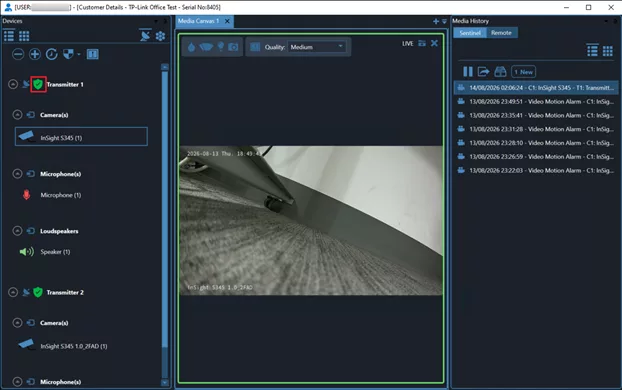
Step 1. In Sentinel Operations Centre, click Open CCTV, then select the camera in the CCTV window and confirm that the live video can be viewed.
Use the shield control to switch between Arm and Disarm, and confirm that the status changes accordingly. After verification, switch the camera back to Arm before testing alarm reception.
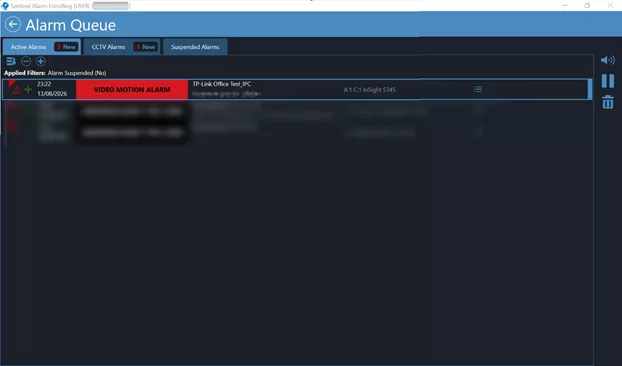
Step 2. Trigger a configured event on the VIGI camera. In Sentinel Alarm Handling, confirm that the triggered alarm appears in Alarm Queue for the correct site and camera.
You have now configured Sentinel ARC integration with supported VIGI cameras and NVRs, enabling alarm notifications, live video, playback, and supported remote control functions through Sentinel. By ensuring the required network connectivity, Sentinel configuration, and VIGI device settings are correctly configured, security events can be centrally monitored and managed through the Sentinel platform.
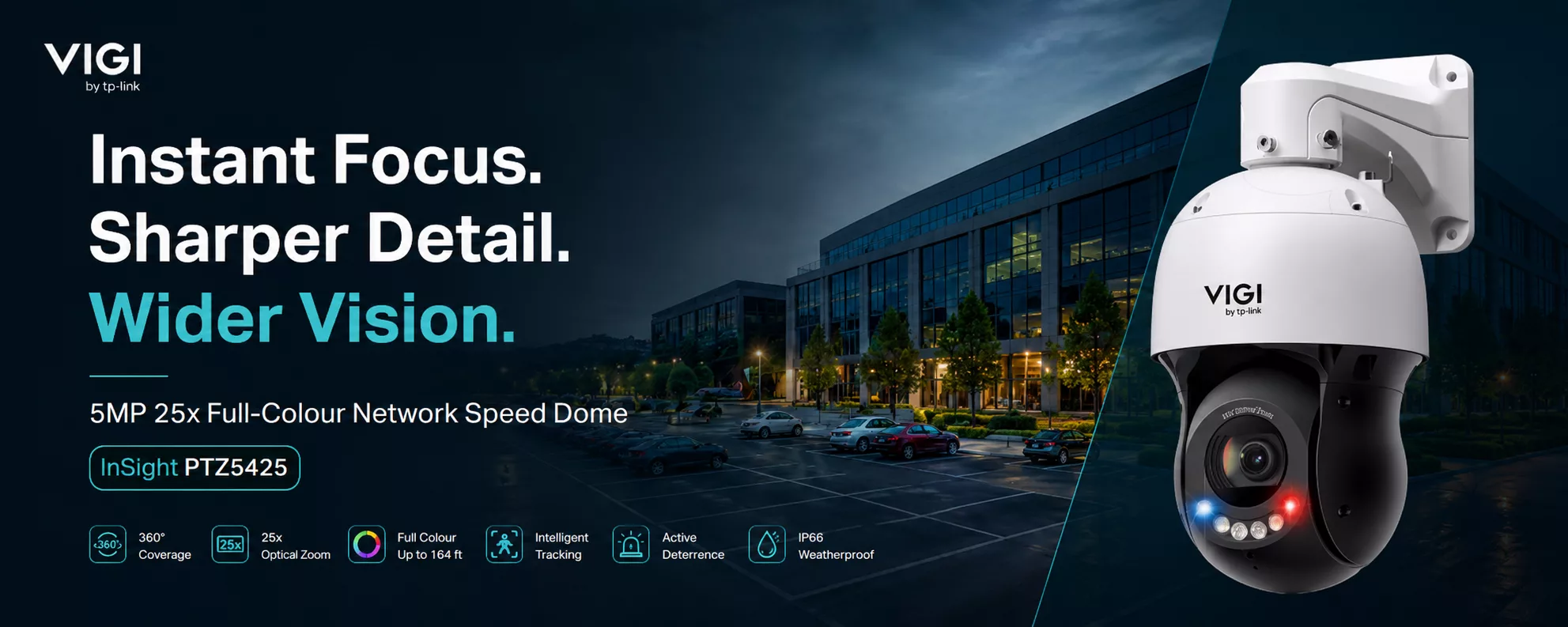
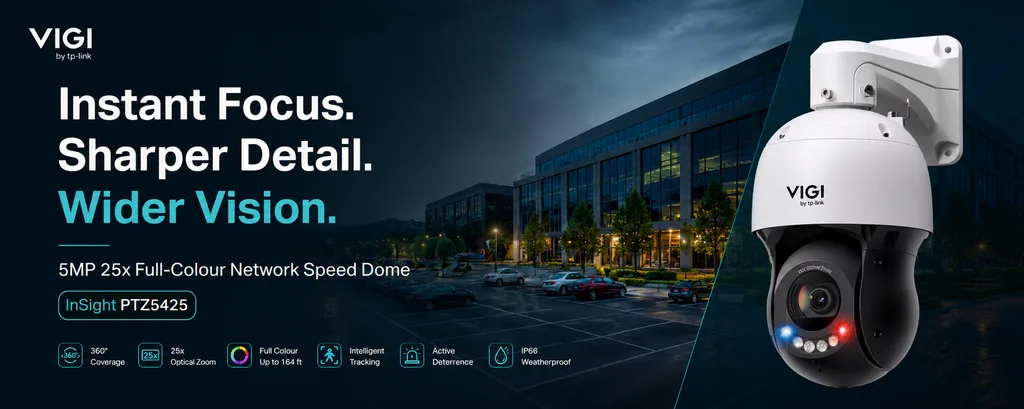
Designed for larger outdoor sites, the PTZ5425 combines 4MP resolution, 360° coverage, 25x optical zoom, full colour imaging and intelligent tracking in one camera. For installers covering car parks, schools, farms, residential developments and other large sites, there is plenty to like.
Large sites can be difficult to monitor with fixed cameras alone. The PTZ5425 gives operators 360° pan coverage, with the ability to move around a site and focus on activity as it happens.
It can detect and track people and vehicles, allowing the camera to follow relevant movement rather than relying entirely on an operator to control it manually.
The result is wider coverage from a single camera and a much better view of what is happening across the site.
Wide coverage is useful, but sometimes you need the detail too.
With 25x optical zoom, the PTZ5425 can focus on activity much further away without relying purely on digital enlargement. Electronic Image Stabilisation and Digital Defog also help maintain a clear picture when conditions are less than ideal.
This gives operators the freedom to monitor the bigger picture before quickly getting a closer look when something needs attention.
PTZ5425 can automatically track people and vehicles as they move through an area. It also includes human and vehicle classification, smart detection and people and vehicle analytics.
For busy sites, this helps operators focus on useful activity rather than constantly watching and controlling the camera themselves.
Red and blue warning lights and a siren provide an additional deterrent when required.
The camera provides full colour imaging with white light illumination up to 50 metres, alongside infrared illumination up to 100 metres.
That gives installers more flexibility when designing surveillance for sites that still need useful detail after dark.
It features IP66 weather protection, vandal resistance, 6kV lightning protection, Digital Defog and a built-in lens heater, helping it continue operating through challenging outdoor conditions.
The PTZ5425 is also supported by VIGI VMS, allowing cameras and other supported VIGI devices to be managed centrally.
For businesses operating across multiple locations, this makes it easier to bring surveillance together and manage sites remotely.
The TP-Link VIGI InSight PTZ5425 is an exciting addition to the range, particularly for installers who need to cover larger areas without sacrificing the ability to see important detail.
With 360° coverage, 25x optical zoom, intelligent tracking, full colour imaging and active deterrence, there is a lot packed into one camera.
Want to know if it is right for your next installation?
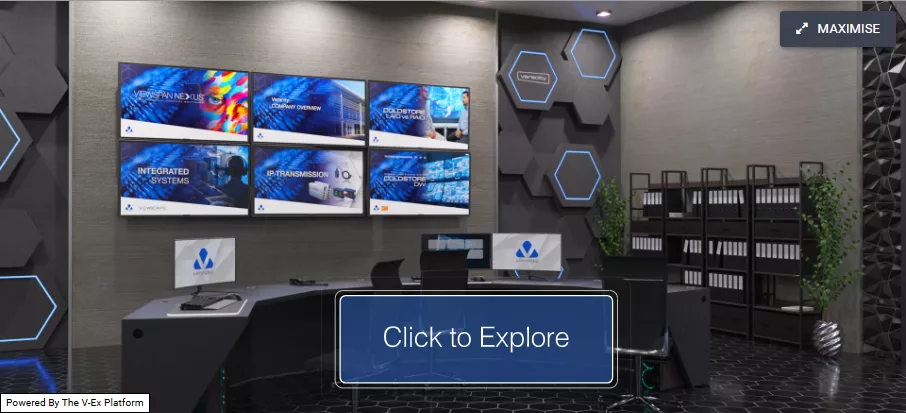
Veracity‘s Virtual Experience Centre, an online resource that gives installers, integrators and end users an alternative way to explore the full Veracity product range without needing to step foot on a stand or into a showroom.
As one of the leading names in IP video transmission, storage and integrated security systems, Veracity has built a reputation for products that are reliable, cybersecure and built to last. The Virtual Experience Centre puts that reputation in front of you in a completely new format, allowing you to browse products, explore applications and see how Veracity technology fits into real-world security projects, all from your own desk.
Hosted in partnership with Security On Screen, the Virtual Experience Centre offers a fresh perspective on the Veracity range. Whether you are researching IP transmission devices, video storage and recording solutions, video display controllers or the VIEWSCAPE integrated security platform, the experience is designed to make product discovery simple, engaging and informative.
For installers working on their next specification, or organisations exploring an upgrade to their existing security infrastructure, having this level of access matters. It means technical detail, application guidance and product context are all available on demand, rather than waiting for the next event or site visit to have those conversations.
This kind of digital innovation reflects where the security industry is heading. As more specifiers and installers look for efficient ways to research and compare products, tools like the Virtual Experience Centre bridge the gap between traditional face-to-face demonstrations and the convenience of exploring solutions online, at a time that suits you.
As distributors of the full Veracity range, we think this is a useful tool for our customers, and we would encourage you to take a look for yourself. It is not something QED has built or hosts, but it is a resource we are happy to point you towards, alongside the advice and support our own team already provides across the Veracity portfolio.
If you would like to explore the Veracity Virtual Experience Centre for yourself, you can do so by clicking the button here:
Should you have any questions about Veracity products, or you are ready to start specifying your next project, our team is on hand to help. From IP transmission and storage through to fully integrated security systems, we are here to support you with the knowledge, experience and service that our customers have come to expect.
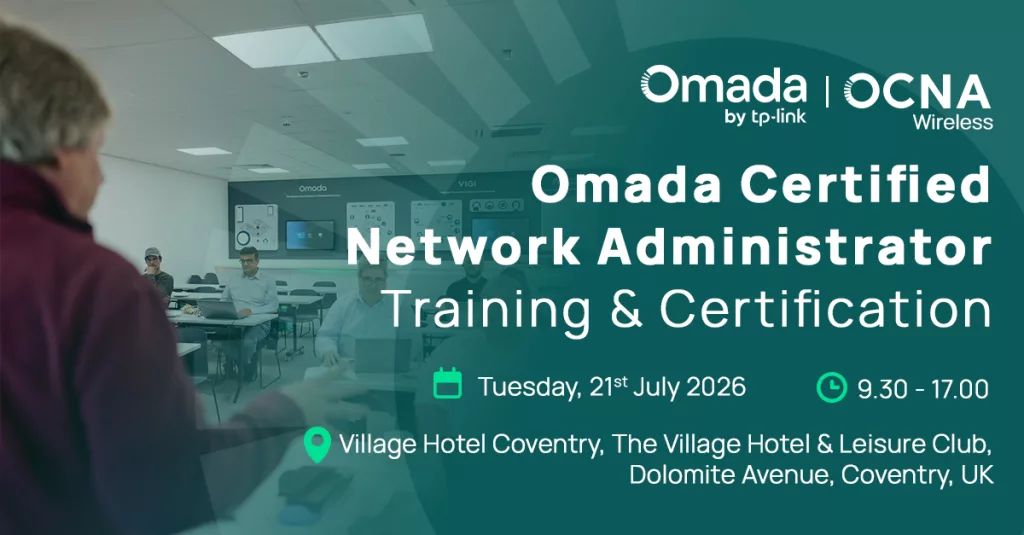
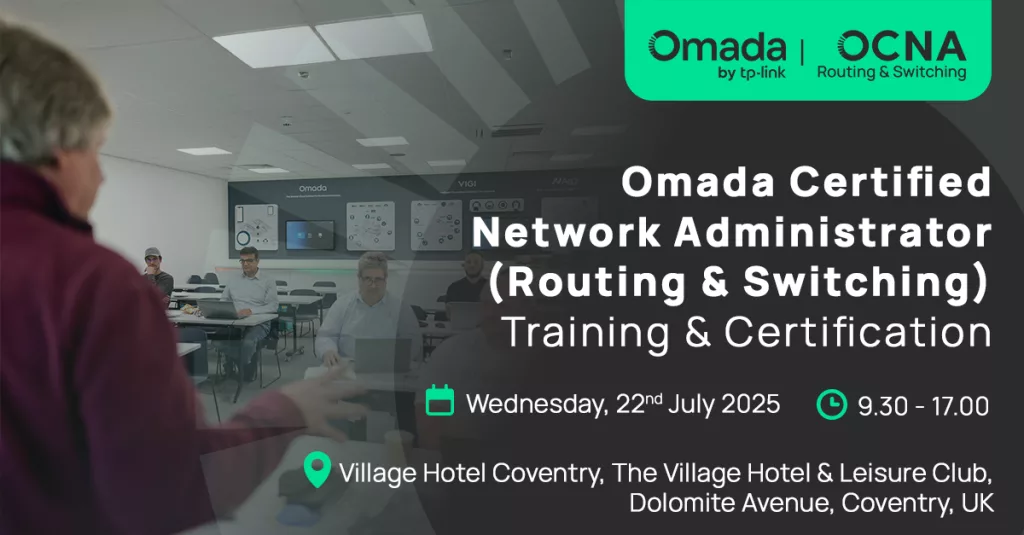
TP-Link are hosting two Omada Certified Network Administrator (OCNA) training and certification days in Coventry this July, covering Wireless and Routing & Switching. Attend one or both to build practical skills on TP-Link‘s Omada platform and walk away with a recognised certification.
OCNA Wireless
Date: Tuesday 21st July 2026 Time: 9.30am to 5.00pm Location: Village Hotel Coventry, Dolomite Avenue, Coventry
Covers the design, deployment and management of Omada based Wi-Fi networks.
OCNA Routing & Switching
Date: Wednesday 22nd July 2026 Time: 9.30am to 5.00pm Location: Village Hotel Coventry, Dolomite Avenue, Coventry
Covers routing and switching within the Omada ecosystem. Runs the day after the Wireless session for anyone wanting full coverage across both disciplines.
Why Attend?
Official OCNA certification, recognised across the industry
Practical, instructor-led training rather than theory alone
Two specialisms, one venue, back-to-back dates
A chance to connect with other network professionals and installers
Who It Is For?
Network administrators, IT resellers, installers and managed service providers working with, or planning to work with, TP-Link Omada solutions.
Reserve Your Place
Spaces are limited. Early registration is recommended.
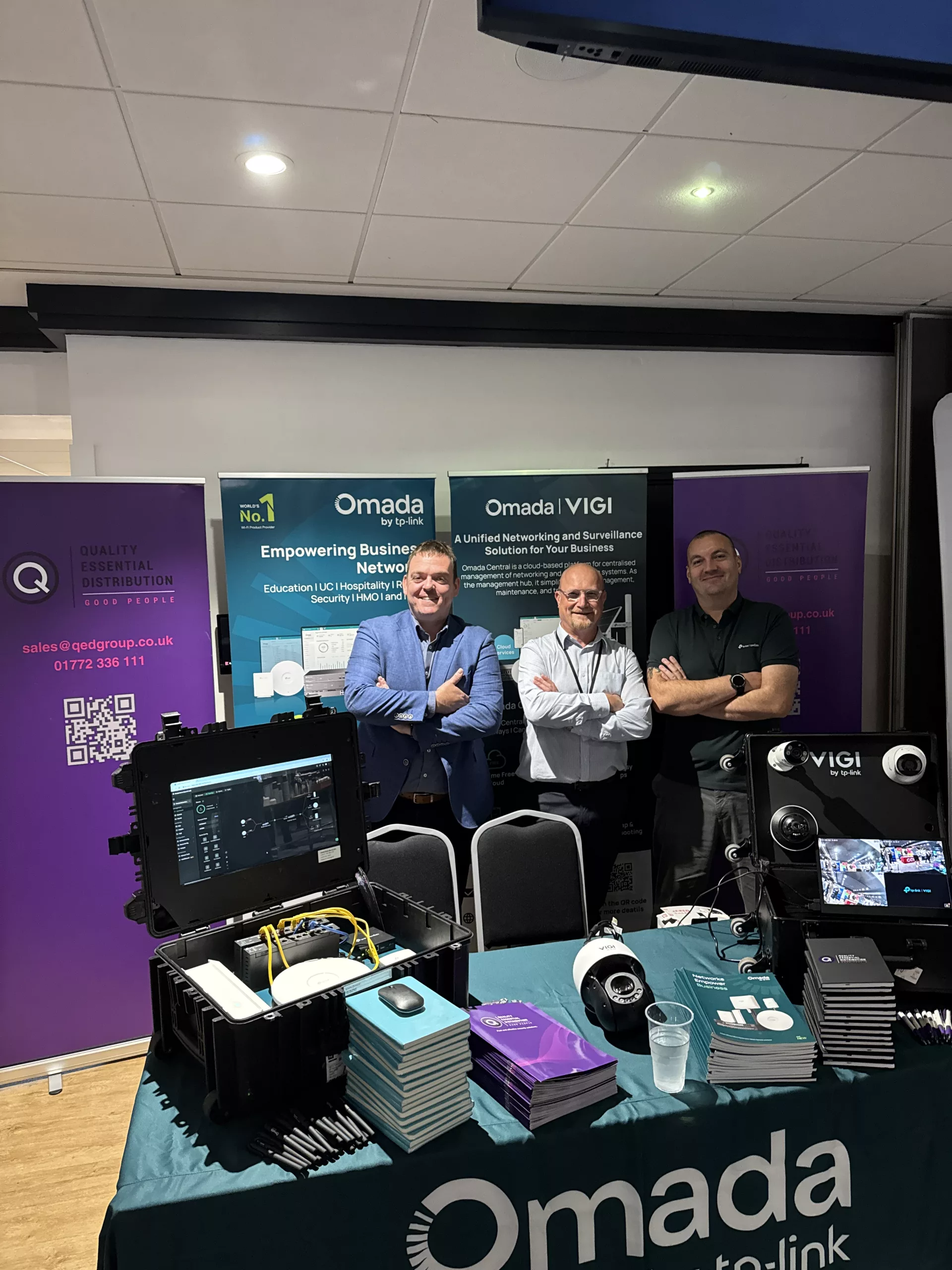
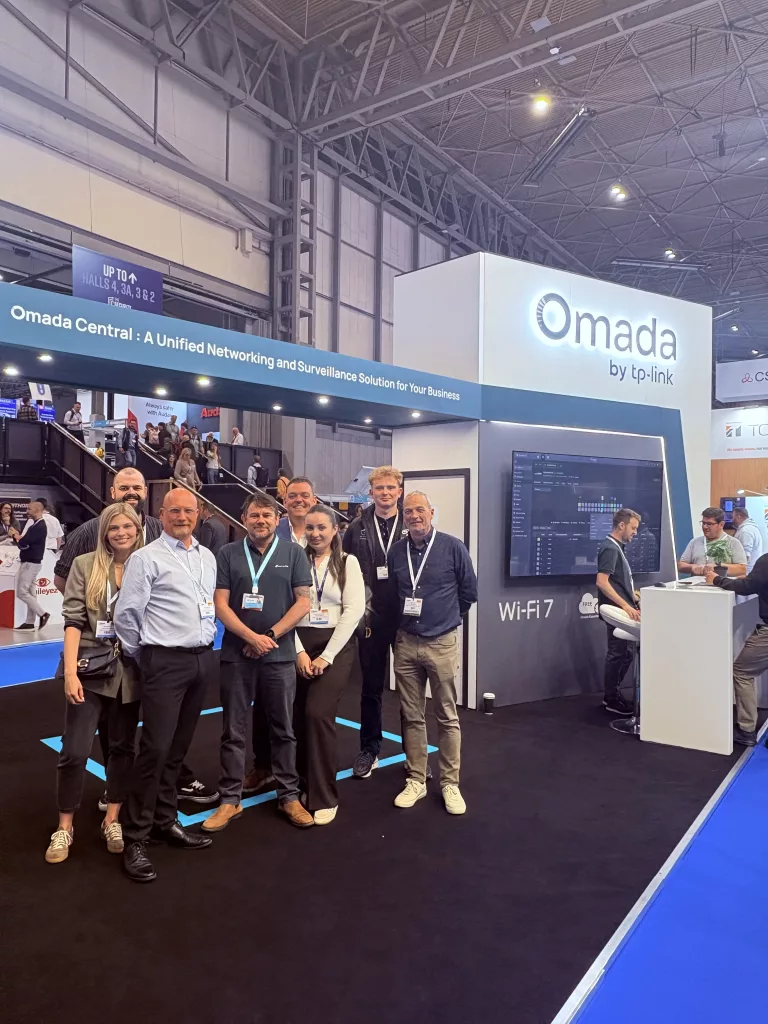
QED were proud to exhibit alongside TP-Link at Security TWENTY Manchester, bringing together security professionals from across the region for a day focused on innovation, expertise and meaningful industry conversations.
Events like Security TWENTY continue to demonstrate the value of bringing manufacturers, distributors and installers together in one place. They create opportunities to exchange ideas, explore emerging technologies and discuss the real challenges facing today’s security market.
Throughout the day, our team welcomed visitors to the stand to showcase the latest VIGI surveillance solutions and business networking technologies. From installers looking for reliable products on their next project to organisations exploring future security upgrades, it was fantastic to speak with so many professionals who are passionate about delivering high-quality security solutions.
Representing QED, Eddie Chatburn and Andy Mason were joined by Steve Klapiscak from TP-Link, providing visitors with direct access to technical expertise, product knowledge and practical advice. Every conversation reinforced the importance of choosing solutions that not only perform today but are built to support future growth.
One of the most rewarding aspects of the event was hearing first-hand about the projects currently shaping the industry. Whether discussions centred on surveillance, networking or integrated security systems, there was a clear focus on delivering smarter, more connected and more efficient solutions for end users.
We would like to thank everyone who visited our stand and took the time to speak with the team. Your conversations, questions and feedback are what make events like Security TWENTY so valuable.
A special thank you also goes to Professional Security Magazine for organising another excellent event that continues to bring the security community together.
If you were unable to attend Security TWENTY Manchester, or you would like to continue the conversation, our team of experts is here to help. Whether you are specifying your next project, looking for expert product advice or exploring the latest TP-Link VIGI solutions, we are ready to support you with the knowledge, experience and service that our customers have come to expect.
We look forward to seeing you again at Heathrow on the 5th November.
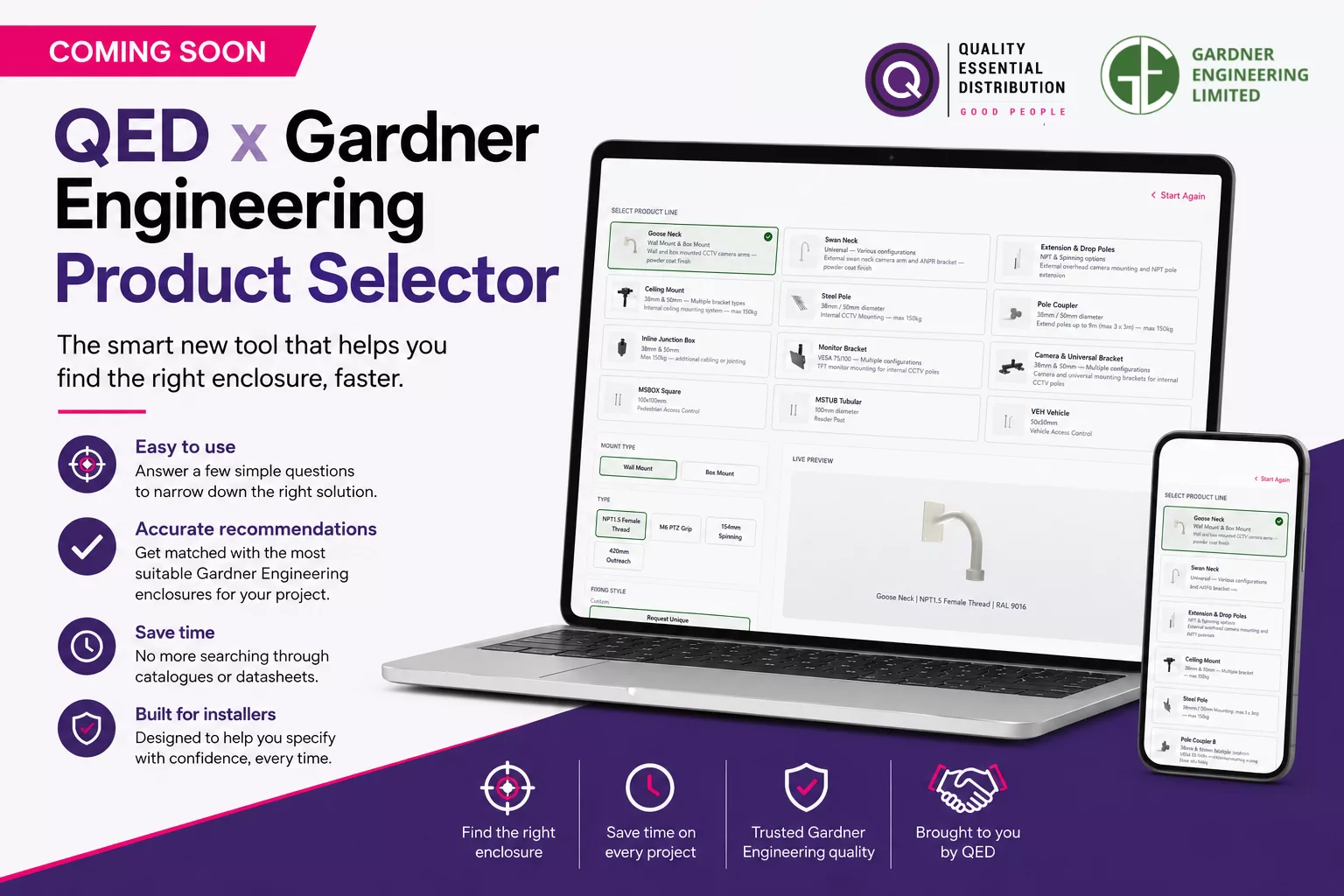
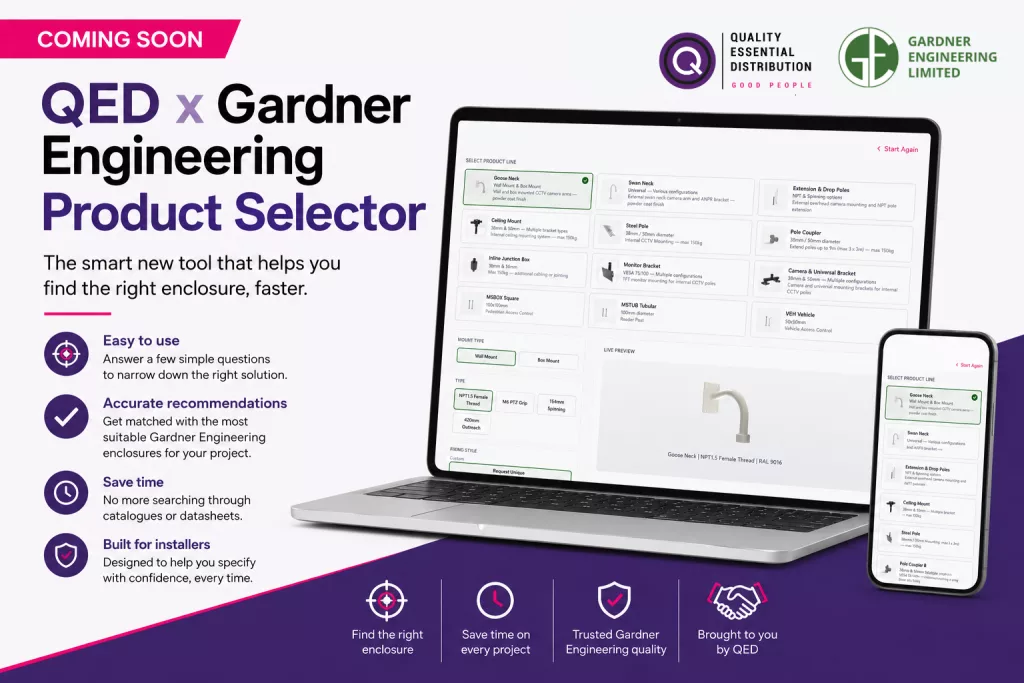
Coming Soon: QED & Gardner Engineering Product Selector
Find the right Gardner Engineering product, faster.
Developed in partnership with Gardner Engineering, our new Product Selector has been designed to take the guesswork out of choosing the right enclosure for your installation. Whether you are working on CCTV, access control, networking or another security application, the tool helps you narrow down the options in just a few clicks.
Simply select your application, installation type, enclosure size, environmental requirements and any additional features you need. The Product Selector then recommends the most suitable Gardner Engineering products, complete with key information and direct links to the full product pages.
It is a faster, smarter way to specify enclosures, helping you save time, reduce uncertainty and make confident decisions without searching through countless product pages or datasheets.
We are putting the final touches to the Product Selector and cannot wait to launch it. Keep an eye on our website and social media channels for the official release.
With Martyn’s Law expected to become enforceable in April 2027, schools across the UK are beginning to review their emergency response procedures and security measures.
For installers working within the education sector, this presents an opportunity to support schools as they prepare for the new legislation and assess whether their existing lockdown procedures are fit for purpose.
What is Martyn’s Law?
The Terrorism (Protection of Premises) Act 2025, more commonly known as Martyn’s Law, aims to improve public safety by ensuring organisations are prepared to respond to potential terrorist incidents.
The legislation covers four key public protection procedures:
Evacuation
Invacuation
Lockdown
Communication
Schools fall within the scope of the legislation and will need to review these procedures as part of their wider preparedness plans.
Why Lockdown Communication Matters
A key theme running throughout Martyn’s Law is communication.
In the event of an emergency, schools must be able to communicate clear instructions quickly and effectively to staff, pupils and visitors. Any lockdown alert should be distinct, unambiguous and easily understood.
This is particularly important in educational settings where a fast response can help reduce confusion and support a coordinated lockdown procedure.
A Practical Approach for Schools
One of the biggest challenges schools face is funding.
Many schools are already working within tight budgets, making large infrastructure projects difficult to justify. As a result, flexibility is becoming an important consideration when choosing a lockdown solution.
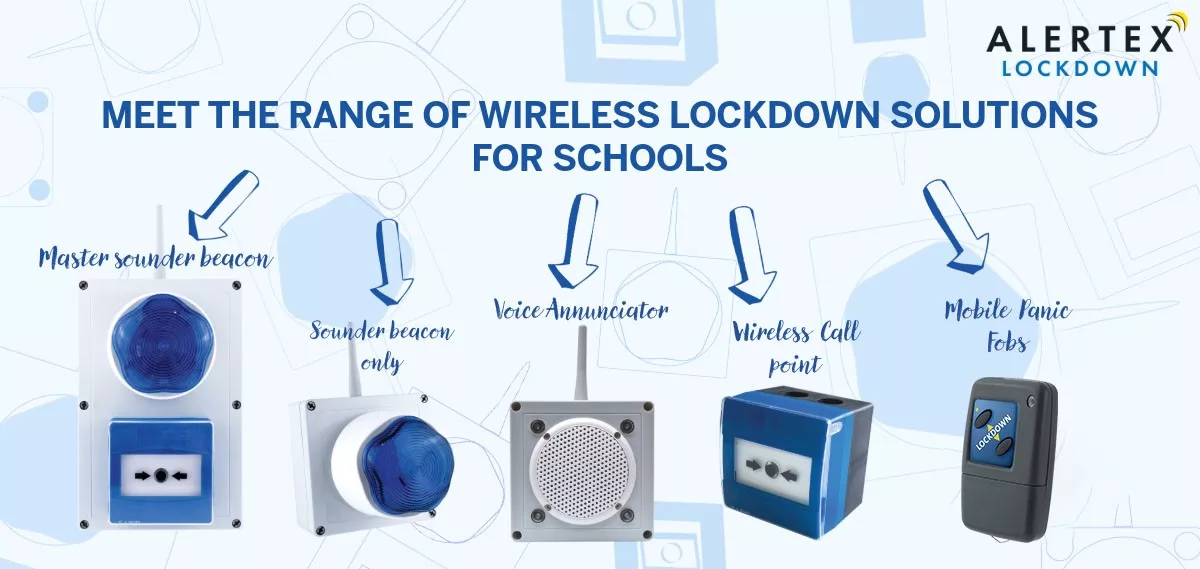
The Alertex wireless lockdown system offers schools the ability to start with a small deployment and expand over time as budgets allow. Because the system is wireless, there is no need for extensive cabling works, helping to reduce installation time, disruption and costs.
The system can be activated from call points, key fobs or remotely through a central management platform, providing a range of options depending on the school’s requirements.
New Screen Notification Functionality
Alertex has recently introduced a new feature that allows lockdown messages to be displayed automatically on laptops, PCs and display screens across the site.
When a lockdown alert is triggered, a pre configured message can appear instantly on connected devices, helping ensure important information reaches staff and pupils as quickly as possible.
The feature is available through a simple software licence and can be deployed across any number of screens within the school.
Why Now is the Right Time
July and August are traditionally the busiest months for school site surveys and installations.
For installers already working with schools, academies and local authorities, now is the ideal time to begin conversations around lockdown preparedness and emergency communication systems ahead of the 2027 compliance deadline.
Early engagement gives schools more time to assess their requirements, plan budgets and implement solutions at a pace that works for them.
Learn More
To learn more about the Alertex range and how it can support schools preparing for Martyn’s Law, click the button below
Investing in technical knowledge is key to staying ahead in the rapidly evolving security industry, which is why we were delighted to welcome the team from CBES for a day of hands-on learning and professional development
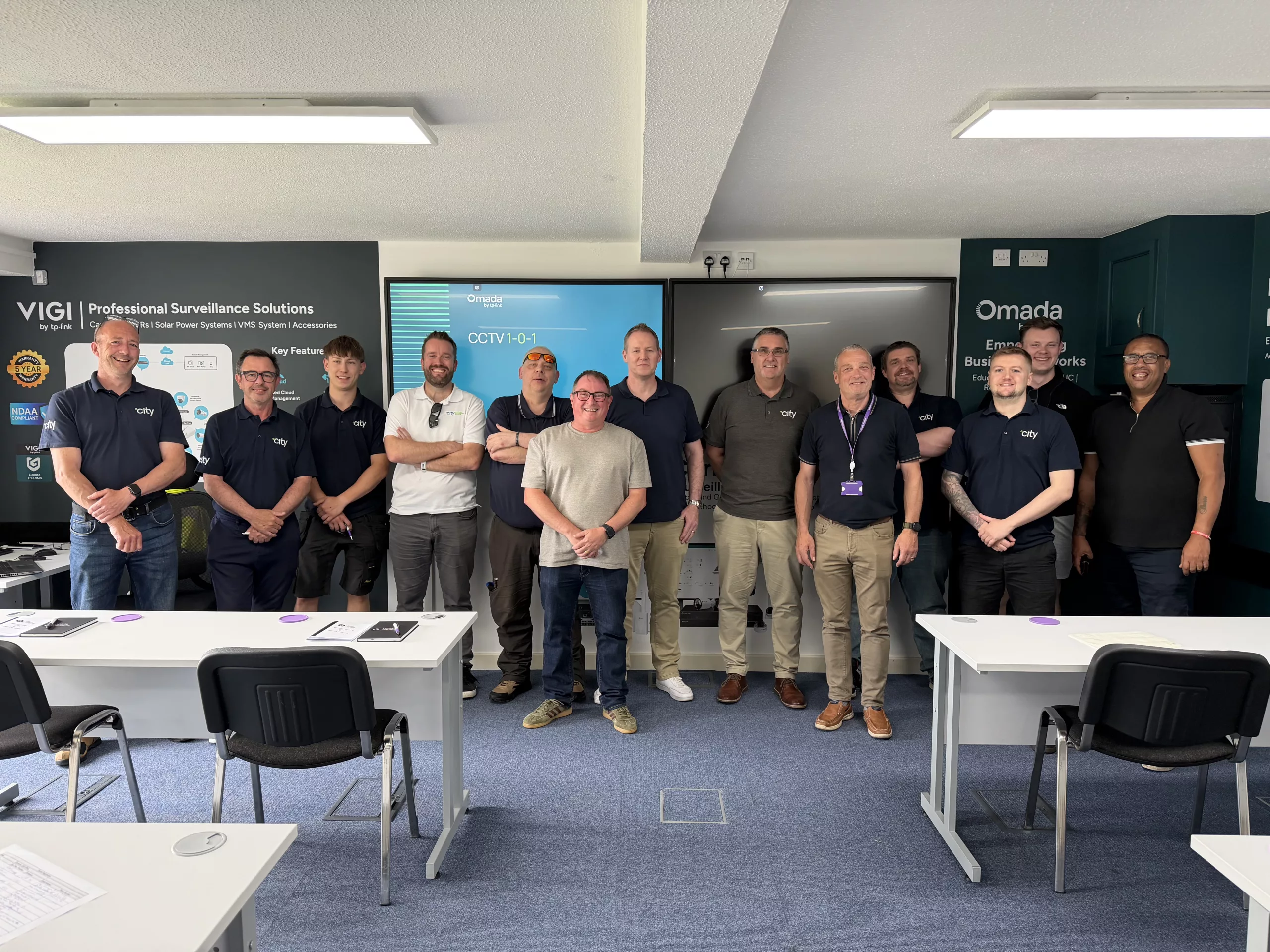
Last week, we were pleased to welcome the team from City Building Engineering Services to our HQ for our Basic CCTV and Network Fundamentals Course, delivered by our very own John Street.
The training session was designed to provide a practical introduction to CCTV systems and networking principles, equipping attendees with a stronger understanding of the technologies that underpin modern security installations. Through a combination of expert guidance and hands-on learning, participants were able to explore key concepts, develop their technical knowledge, and gain valuable insights into real-world applications.
As security systems continue to become more connected, a solid understanding of both surveillance and networking is essential. Courses like these play an important role in supporting professional development and ensuring installers and engineers have the skills required to deliver reliable and effective solutions for their customers.
Our dedicated training facilities provide the perfect environment for learning, collaboration, and knowledge sharing. Bringing professionals together to exchange ideas and develop new skills is something we are proud to support, and it is always rewarding to see attendees engage with the content and leave with increased confidence in their abilities.
A special thank you goes to John Street for delivering an informative and engaging session, and to the CBES team for their enthusiasm, participation, and commitment to continuous learning throughout the day.
We look forward to welcoming more customers and industry professionals to future training sessions as we continue to invest in education, development, and technical excellence across the security sector.
There really is something great about stepping away from the day-to-day and having real conversations with people across the industry. Not just quick introductions, but honest discussions about challenges, ideas, and where things are heading.
What stood out most was the shared focus on staying connected. Not just through technology, but through relationships. The event created space for both, and that is where the real value sits.
We came away with fresh perspective, new connections, and a clearer view of what matters most to the people we work with and support.
If you are interested in the event, you can explore more by clicking the button below.
A worthwhile few days, and conversations we are looking forward to continuing.
Software Service
Order before 4pm
for next day delivery
FREE expert advice
on the best solutions
Contact us
for product guidance
Order tracking
available for parcels
60 seconds
to create an account
Complete VIGI Software Management Solutions
Discover the complete TP-Link VIGI software ecosystem designed to simplify surveillance management across every stage of deployment. From remote monitoring with the VIGI App and VIGI PC Client, to advanced centralised management through VIGI Cloud VMS and VIGI VMS, this page gives users access to the tools that keep security systems connected, accessible, and easy to manage.
Whether configuring devices with the VIGI Config Tool or overseeing multiple sites from a single platform, these solutions are built to deliver flexible, reliable, and efficient security management for installers, integrators, and end users alike.
The Storage Calculator is a clear and practical tool designed to help you understand your storage requirements with confidence. By entering a few key details, it quickly gives you an accurate estimate of the capacity you need, removing uncertainty from the process.
It is all about making planning simpler and more reliable. Instead of working through complex figures or making assumptions, you can arrive at a dependable answer in seconds, helping you move forward with clarity and confidence.